Members and Contacts – Leaderboard
Last updated 12 months ago
What is the purpose of the Leaderboard?
The leaderboard is used to visualize and gamify the activity and progress of your members. You can give your participants points for certain actions, such as completing lessons or quizzes. These points are then displayed on a leaderboard.
Why is this useful?
Motivation and Engagement: A leaderboard can be a strong motivator. When participants see their progress compared to others, it can spark a competitive spirit and encourage them to consume more content and be more active. This increases your course completion rates.
Reward for Performance: You can specifically reward particularly active or successful participants, for example, with exclusive content, discounts, or a special status.
Activity Overview: You can see at a glance how active a single member is, based on the points they have collected. The breakdown by 7 days, 30 days, and overall helps you track their development.
Manual Adjustment: In the "Log of manual changes," you can see that you can also manually add or subtract points from a member. This is useful if you want to reward someone for an achievement outside of the system.
How to check and adjust a member's leaderboard to see their points
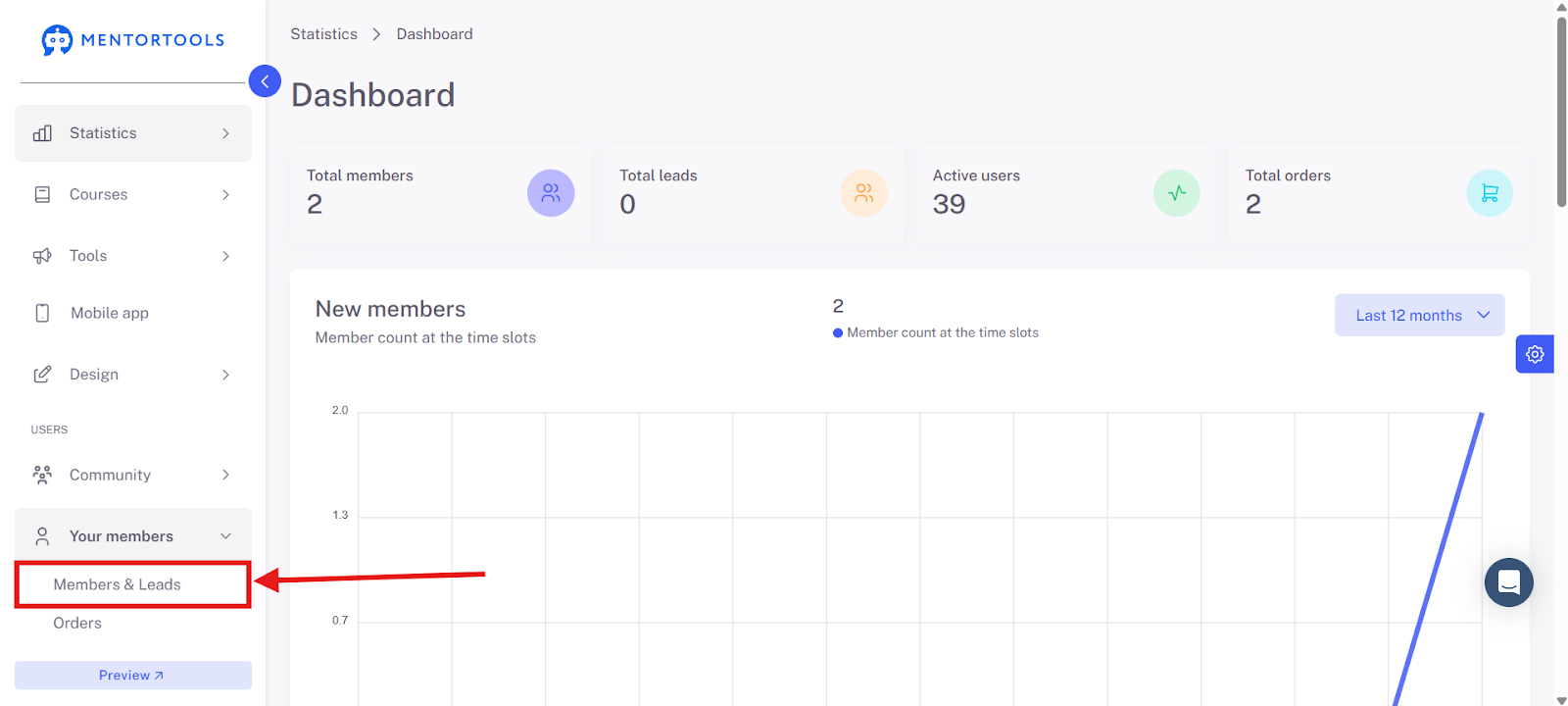
Click on "Members" in the left menu.

Select "Members and Leads."
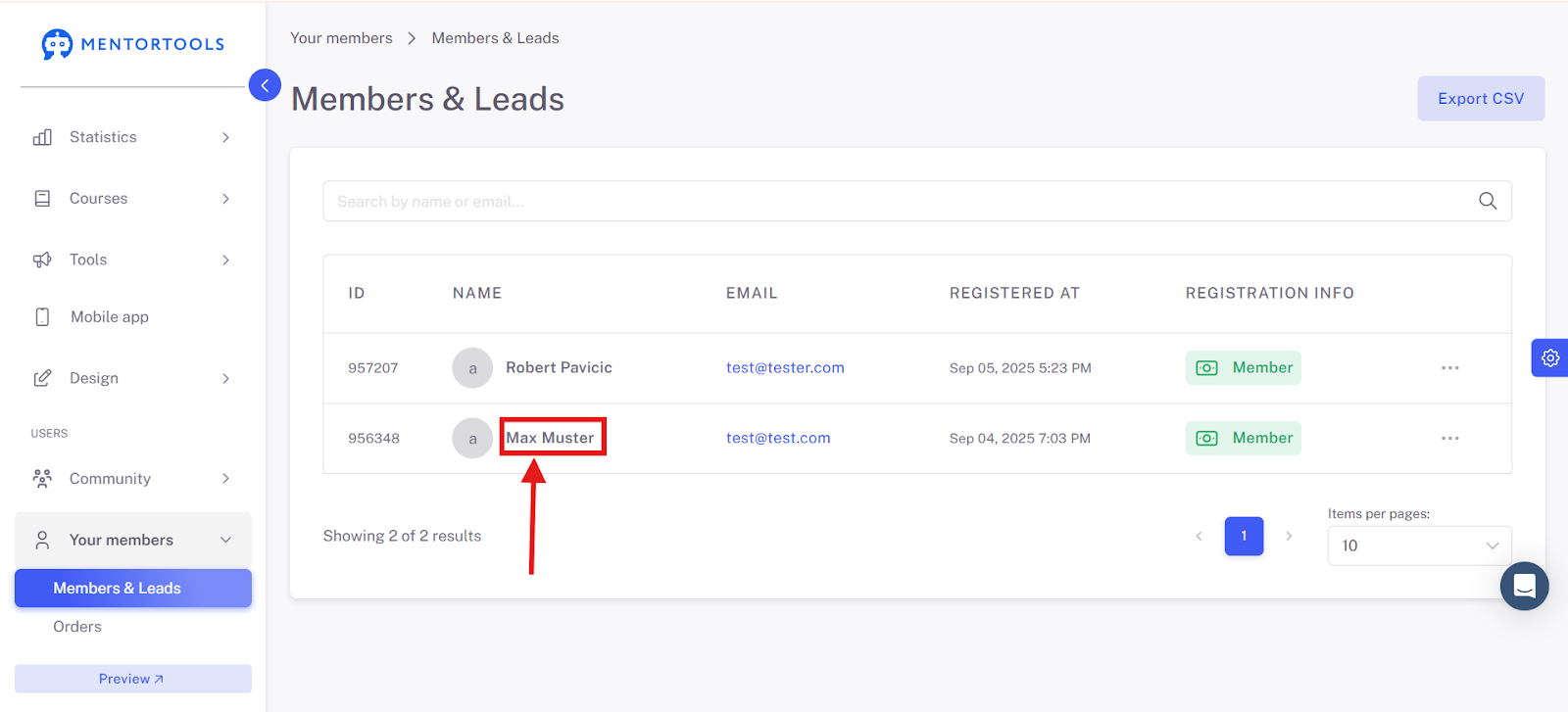
Click on the desired member (e.g., "Max Muster").
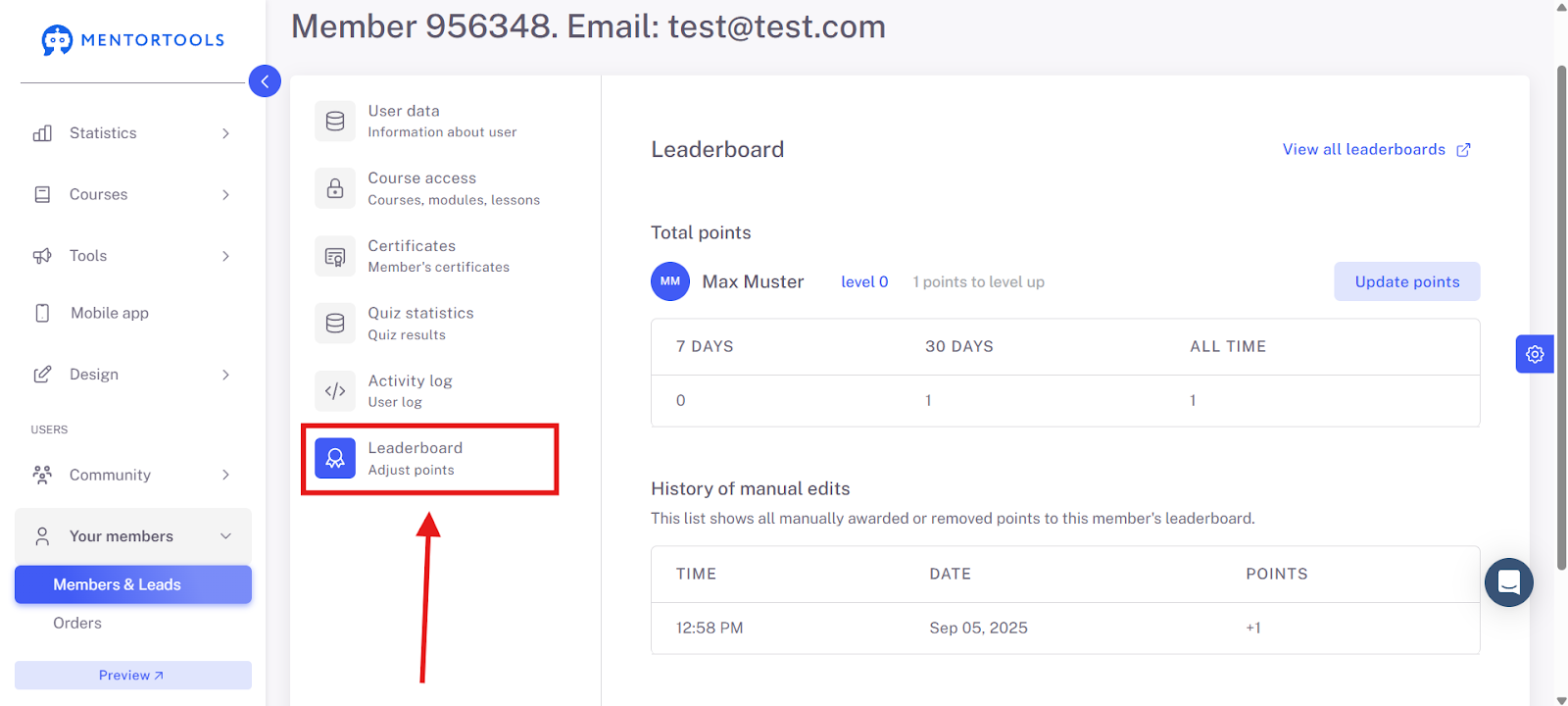
Select the "Leaderboard" tab.
Information and options in a member's leaderboard area
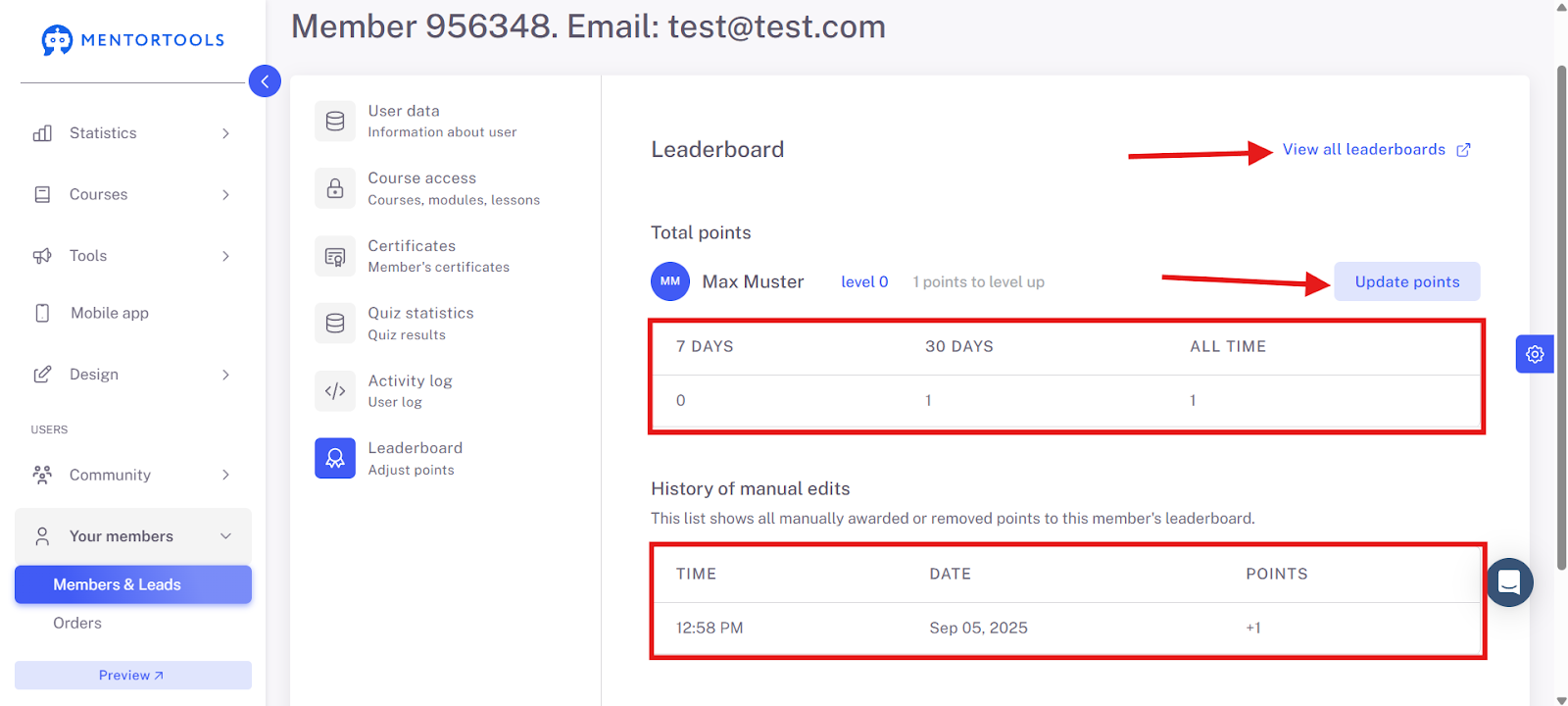
Total Points: Here you see how many points a member has collected—divided into 7 days, 30 days, and overall.
Update points: This allows you to manually update the points.
Log of manual changes: A kind of logbook where you can see when you have manually given or subtracted points from a member.
View all leaderboards: With "View all leaderboards," you get to the overview where you can see how all your members are doing in comparison. There you can see who has collected the most points and is at the top of the leader list. This is great for seeing the progress of your entire community and identifying particularly active members. You can also reach this area in the following way:
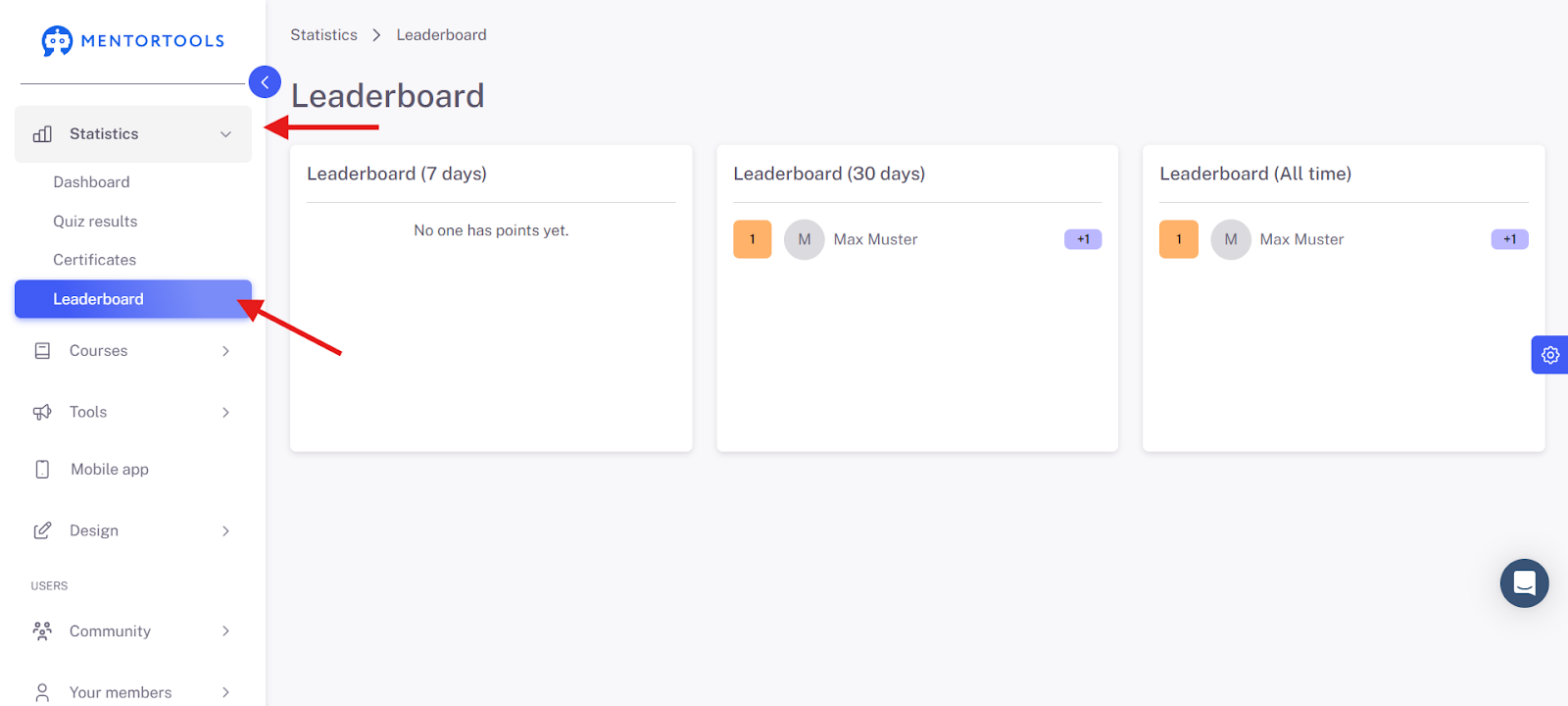
This feature serves to make your courses more playful and to motivate participants. In Mentortools, you can view and adjust the points of any member at any time.