I Forgot My Password?
Last updated 11 months ago
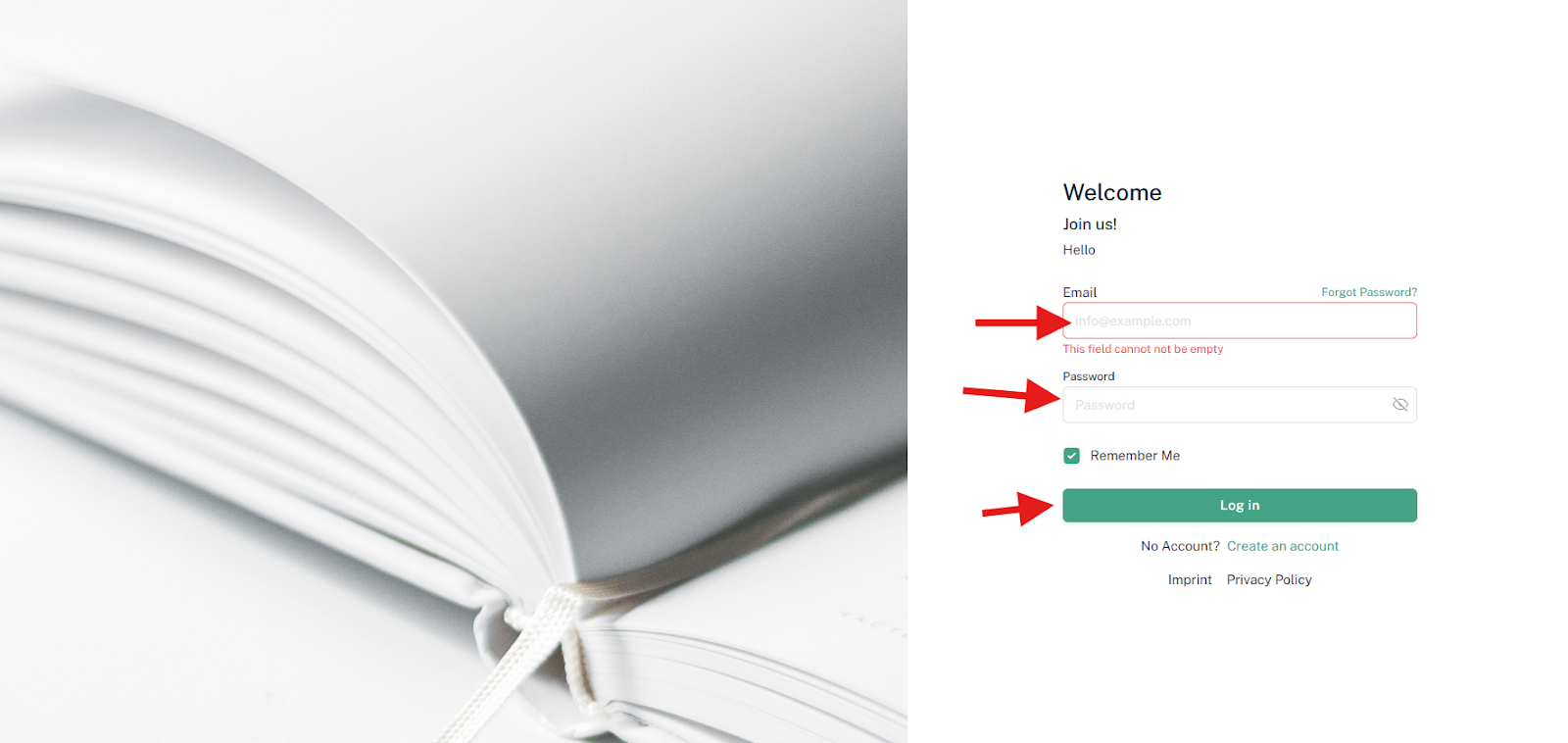
If you no longer remember your password, you can use the "Forgot Password" function. To do this, open the login page you want to log into. It might look like this, for example:
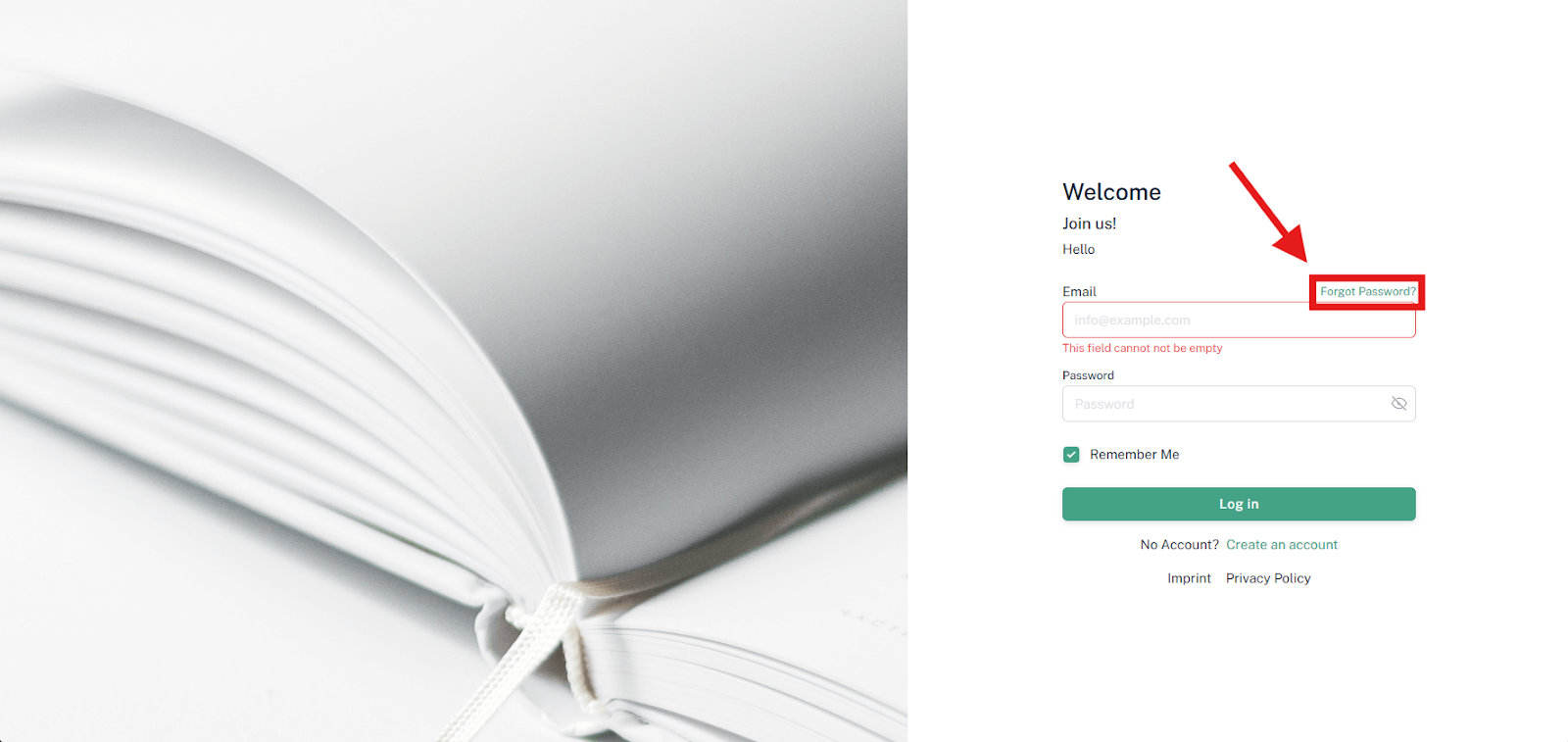
Then click on the text "Forgot password". A new window will then appear. There you can enter the email address you usually use to gain access. If you no longer know the email address, you can check your email inbox and verify which email address you used when you made your purchase.

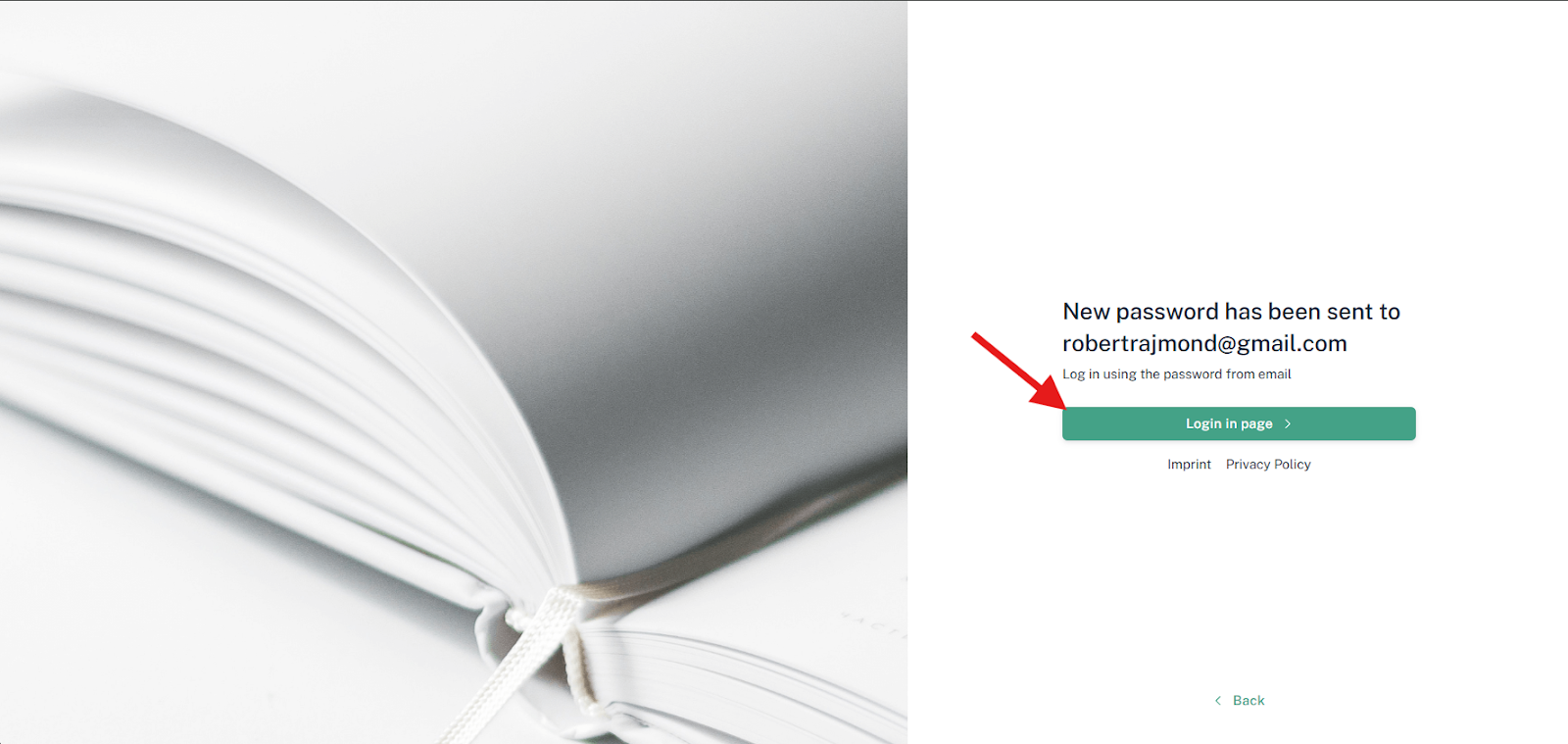
Once you have entered the email address, you can click on the "Send new password" button. The following message will then appear:

Afterward, click on the "Login in Page" button.
Please now check your email inbox and also check your spam folder for security to see if you have received a message.

In this message, you will find the new password that you can use to log in again.
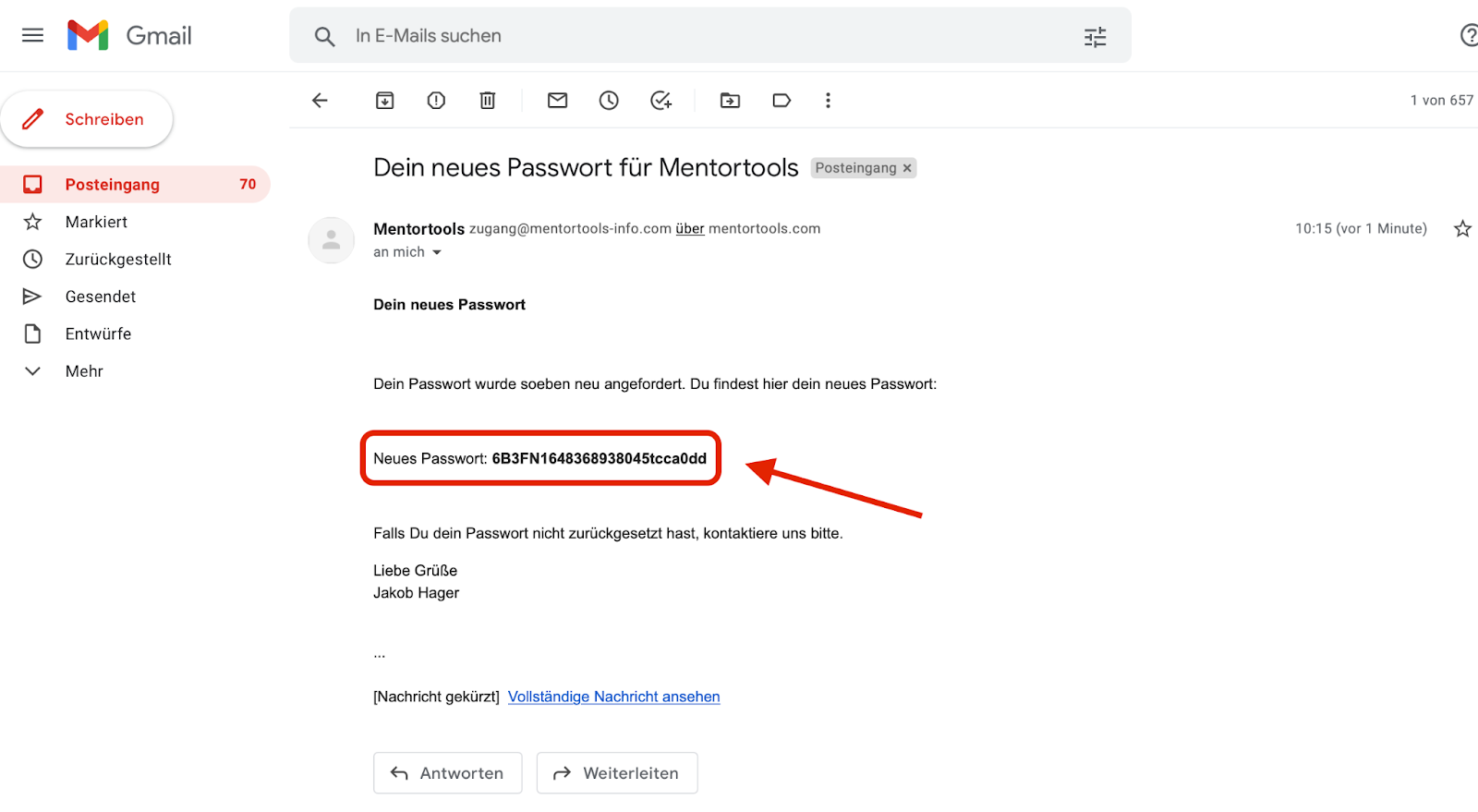
Copy this password and navigate back to the login page. There, enter your email address again, as well as the new password in the second field. Then click the "Login" button.