Upload PDF to Course Content
You have the option to link a PDF in your lessons (course content) that users can download.
Last updated 11 months ago
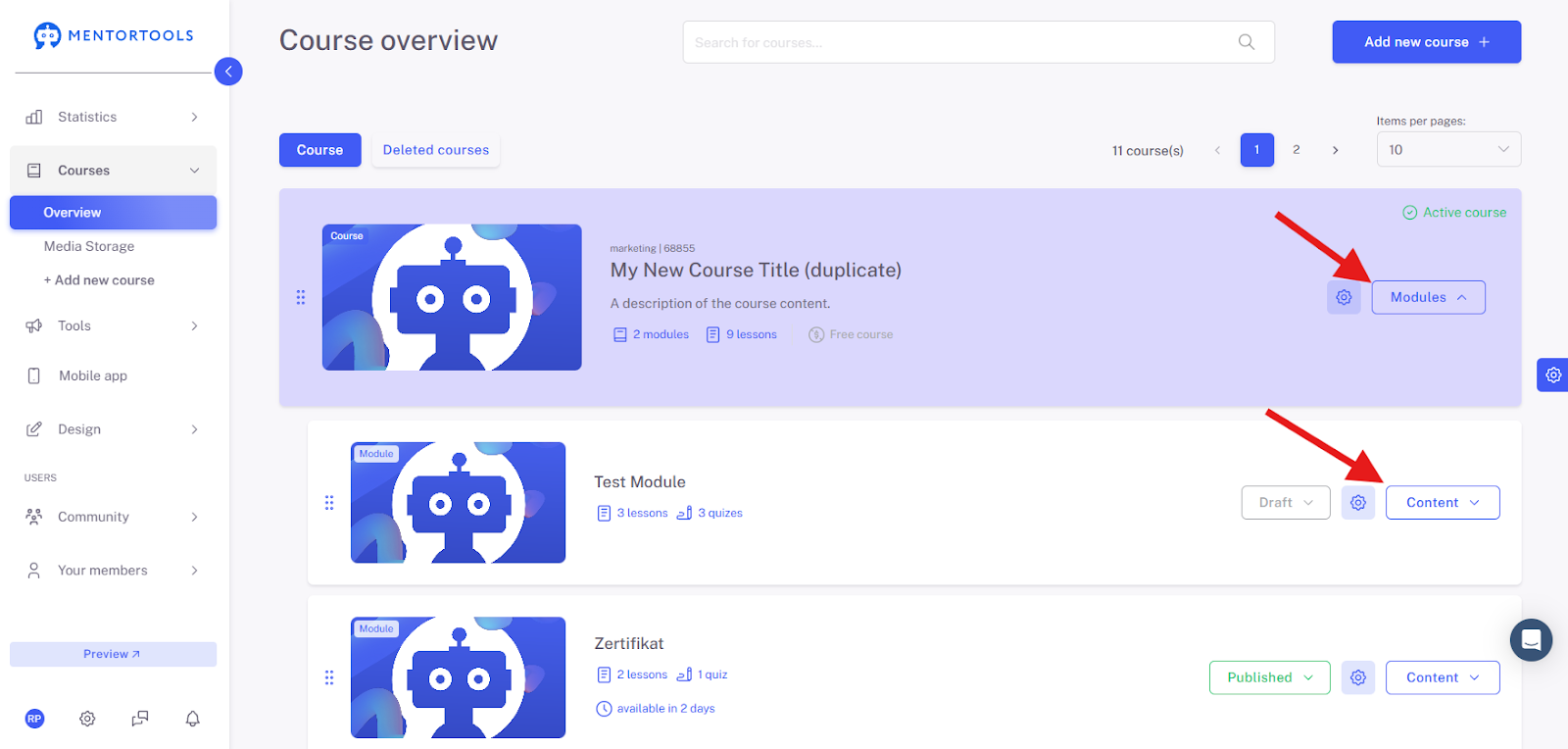
To do this, go to "Courses" and then to "Overview".

Click on "Modules" for the corresponding course, then go to the module containing the lesson you want to add the PDF to, and click on "Content".
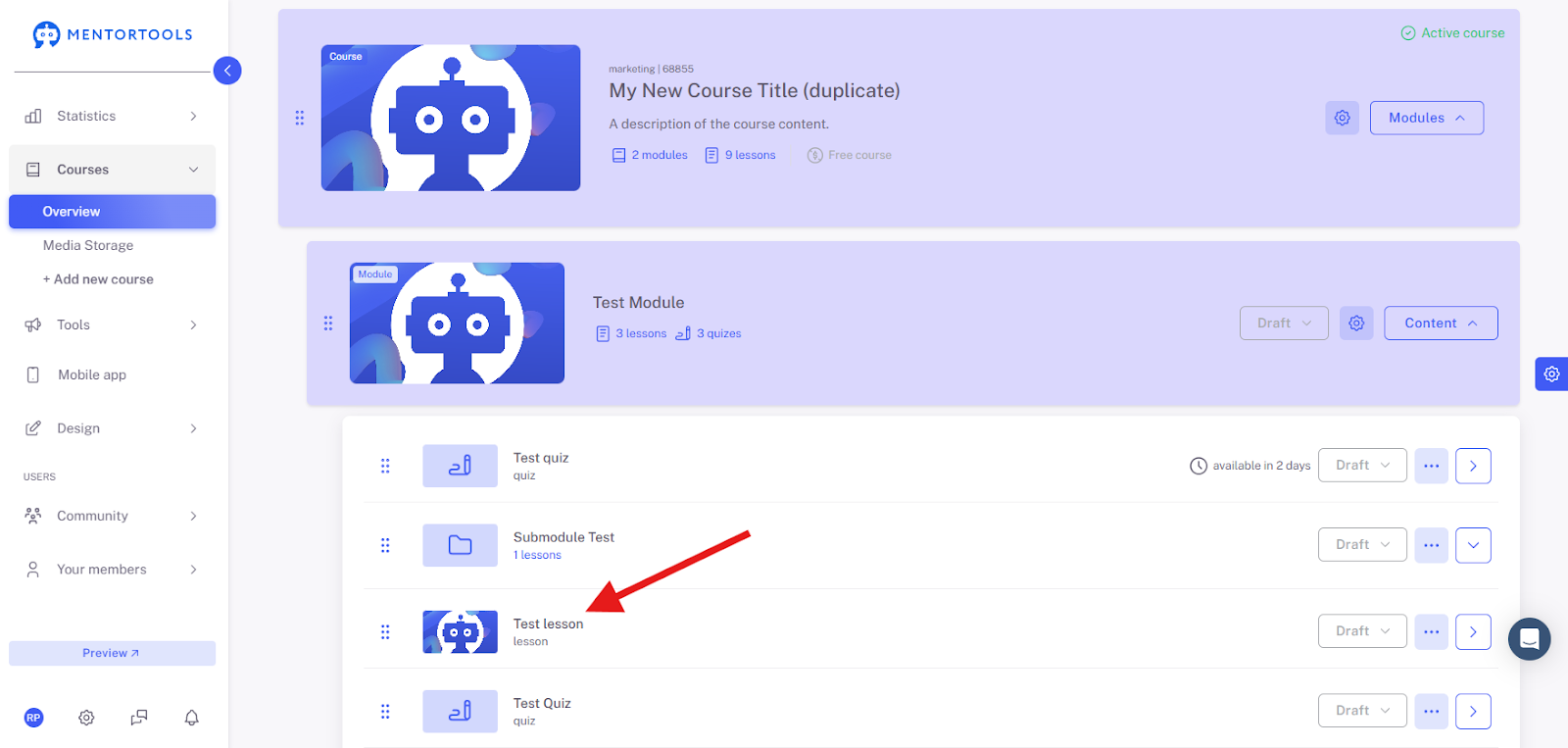
Select the appropriate lesson there.
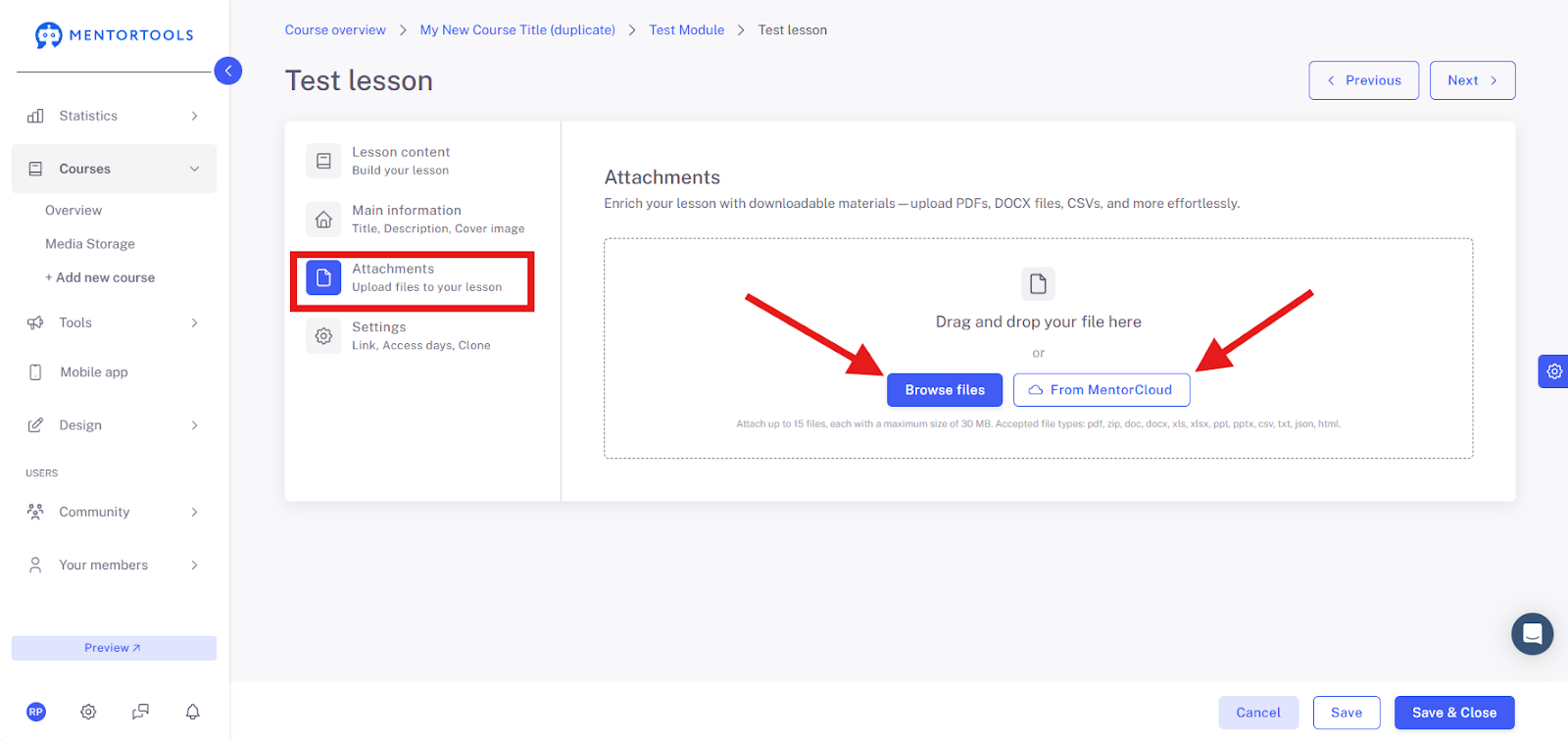
A window will then open with the settings options for this lesson. Here you have two options for inserting your PDF:
Via the "Attachments" function, where users have the option to download the PDF.
You also have the choice to display your PDF directly in the content itself, where users can only view the PDF.
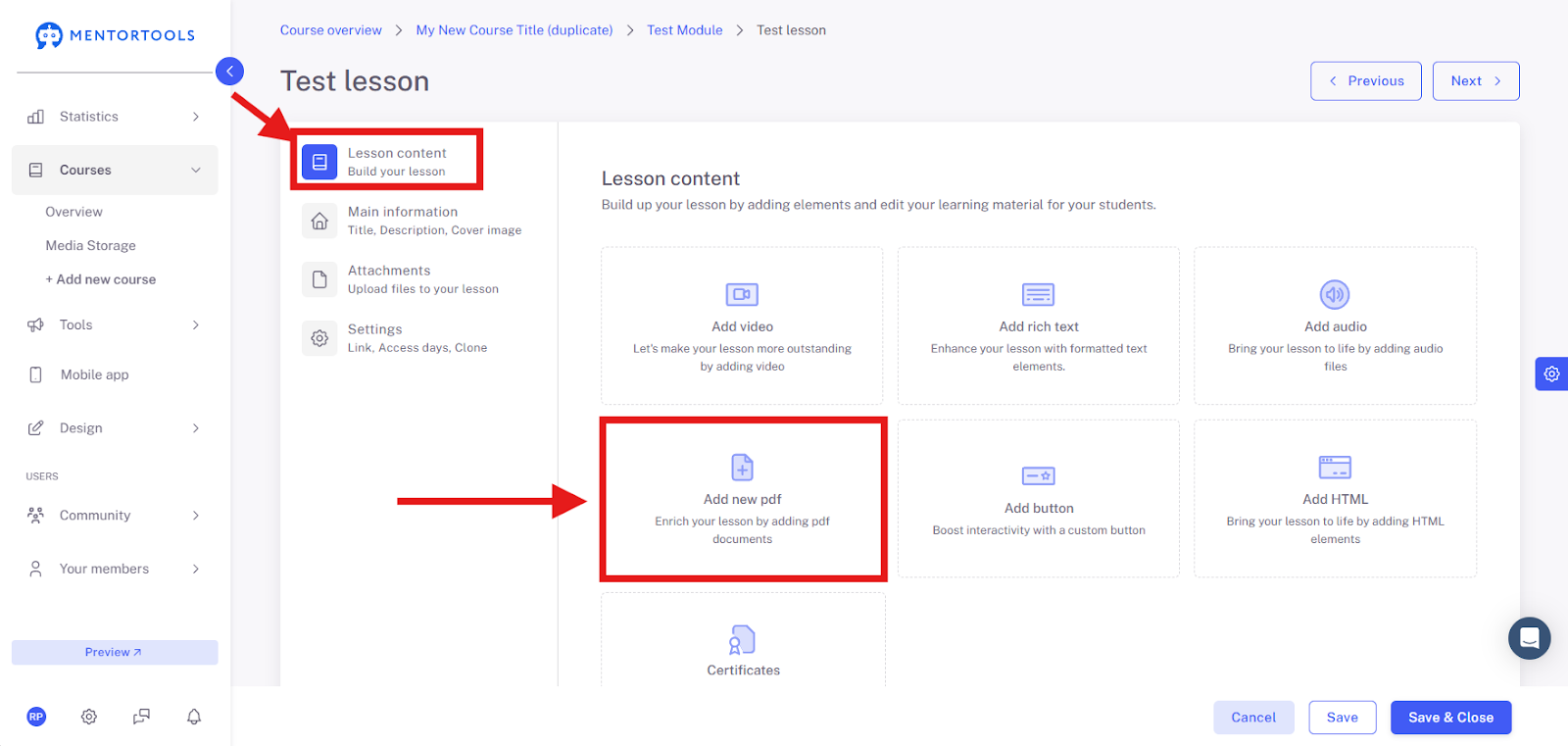
You can upload the file directly from your computer or first upload it to the media library and then link it.
We wish you continued fun and success, Team Mentortools