Activate or Deactivate a Course
Last updated 11 months ago
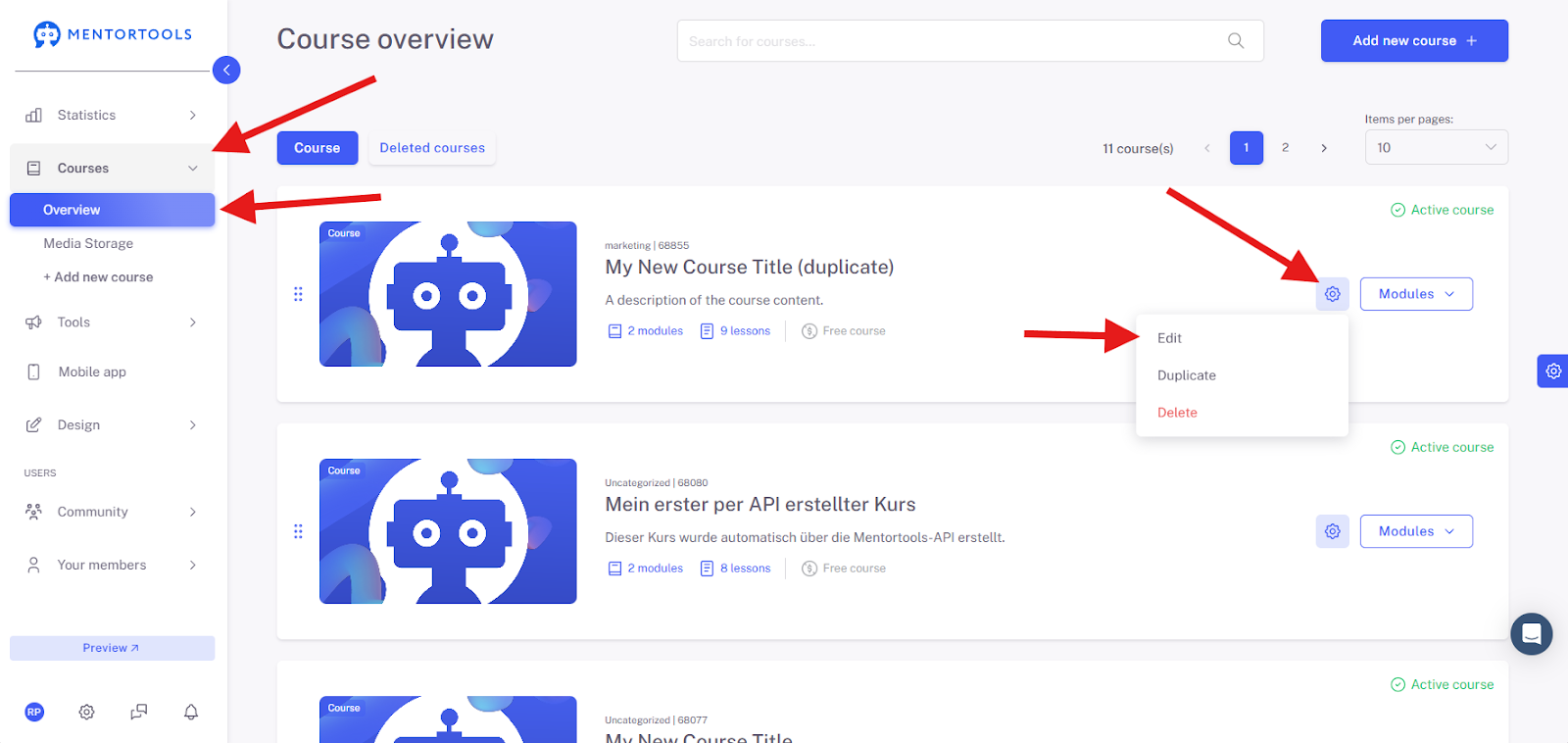
To activate or deactivate a course, first navigate to the Course Overview and then click on the Settings of the created course you want to activate or deactivate and go to "Edit".
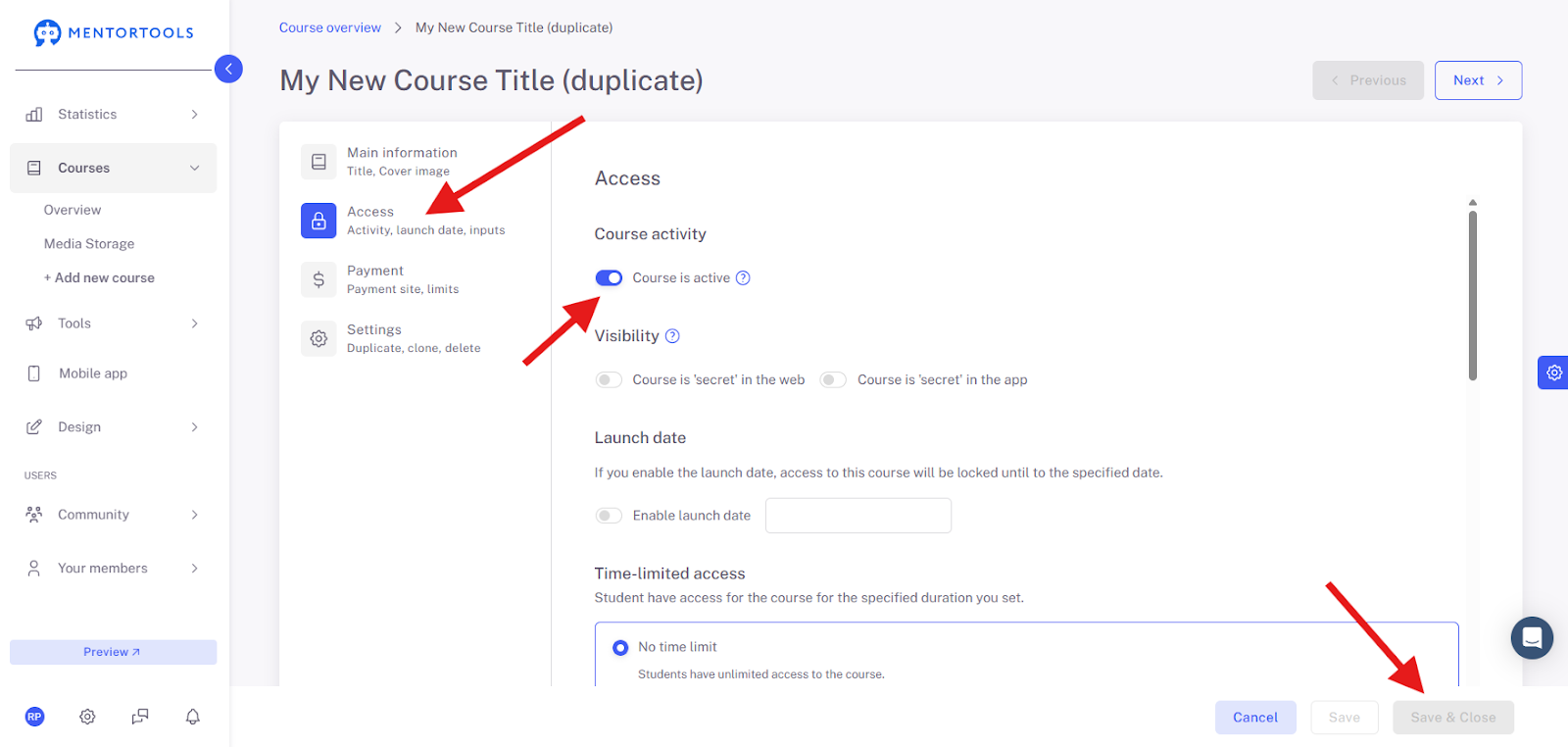
Next, select "Access" in the left menu. There you will find the toggle switch to activate or deactivate this course.
Once you have done that, click "Save & Close" in the bottom right corner.