Create a New Course Using a Template
In this guide, we will show you how to create a finished course in Mentortools in a flash using templates. It's perfect for beginners or for inspiration—simply select a template, customize it, and publish.
Last updated 12 months ago
Introduction
Mentortools offers you the option to create courses not only manually or with the help of artificial intelligence, but also with the help of pre-made templates—which saves you a lot of time. In this step-by-step guide, you will learn how to select a template, customize it, and then publish your course.
Advantages of Creating Courses with Templates
Quick course creation with a finished structure.
Pre-made content that only needs to be supplemented.
Ideal for beginners looking for support and inspiration.
Time-saving thanks to a well-thought-out structure and immediate usability.
Step-by-Step Guide
Open the Course Area
Log in to your Mentortools dashboard at https://app.mentortools.com.
In the main menu, click on "Courses".

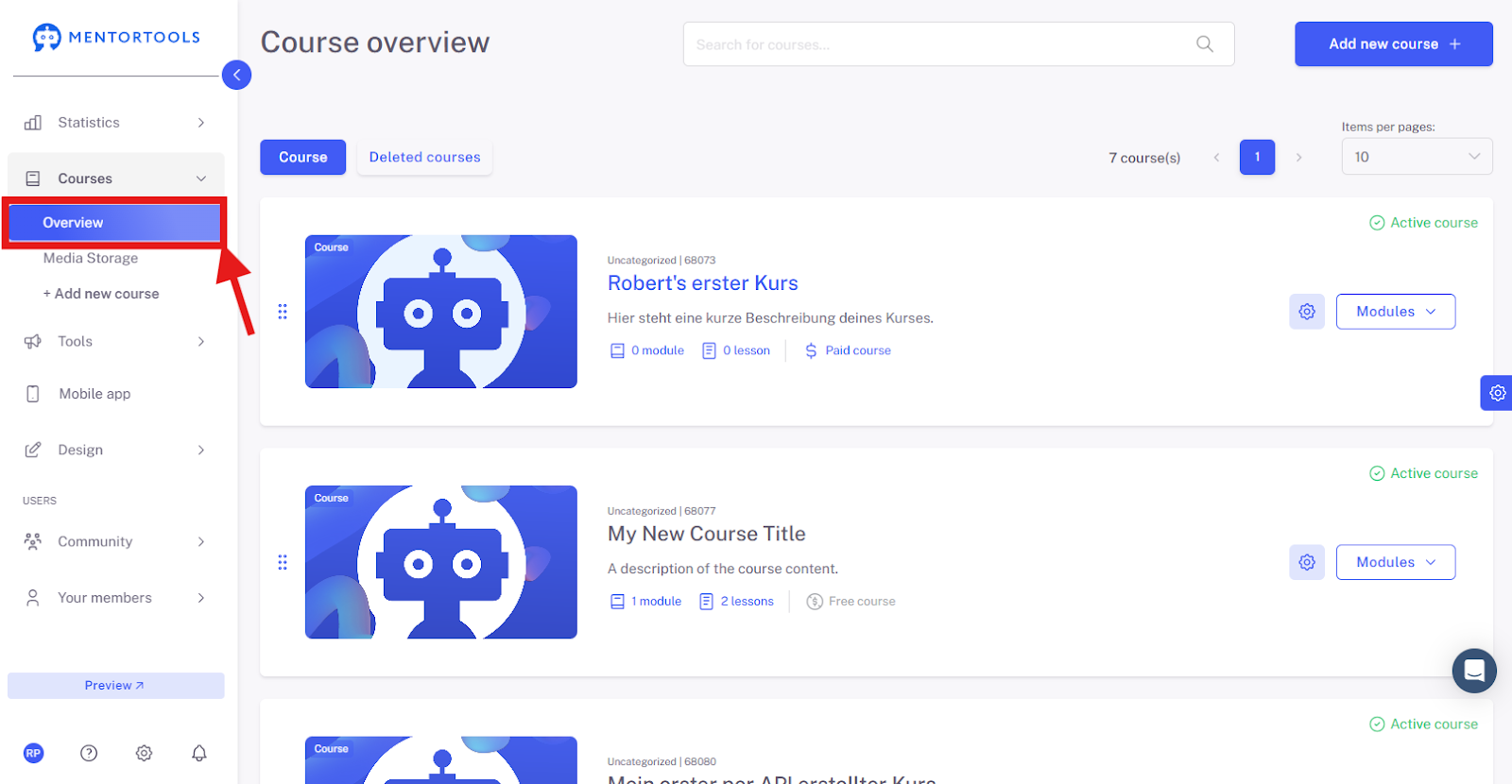
Go to "Overview"
In the left-hand navigation, click on "Overview" to open the course management.
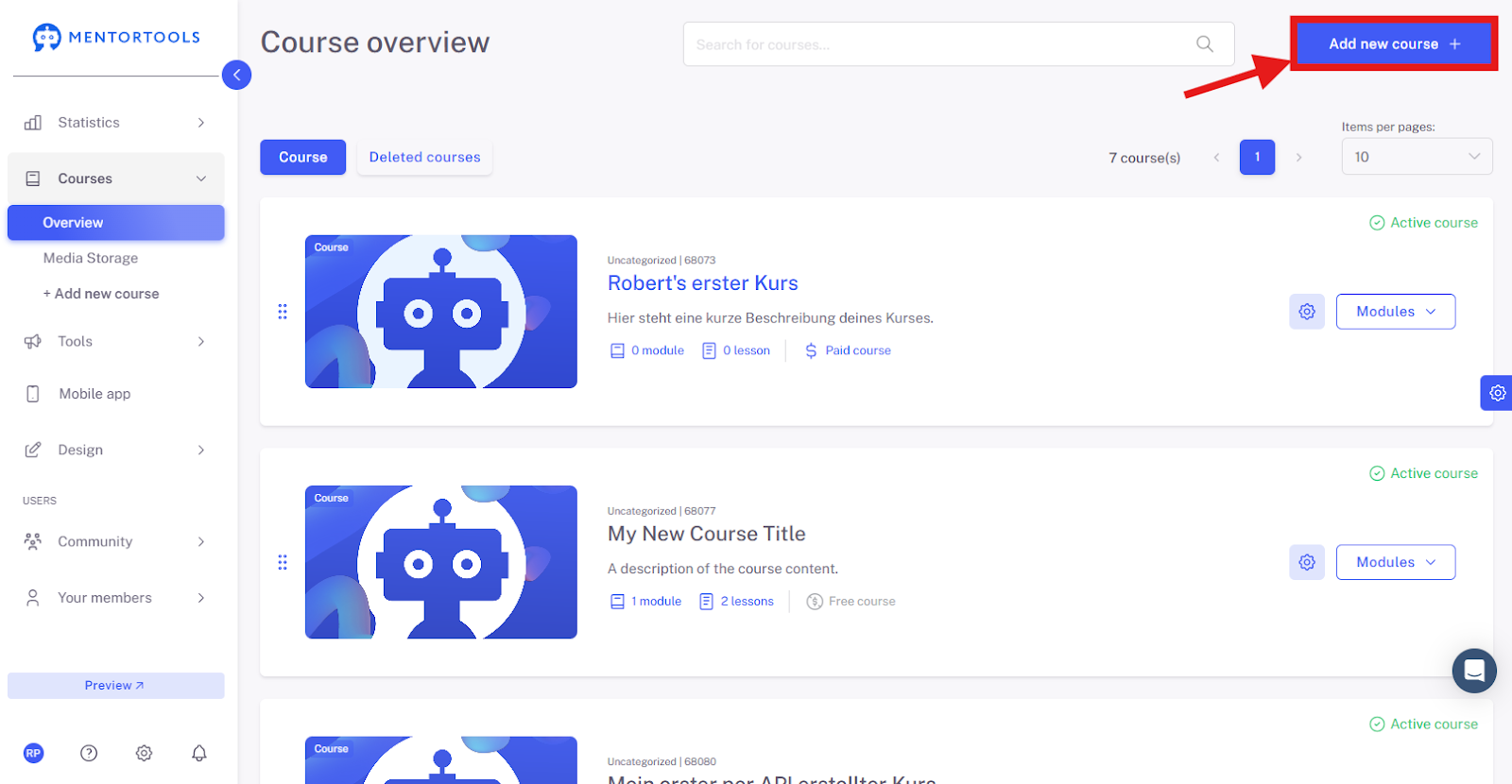
Click on "Add Course"
Start a new course by clicking on "Add new Course +".
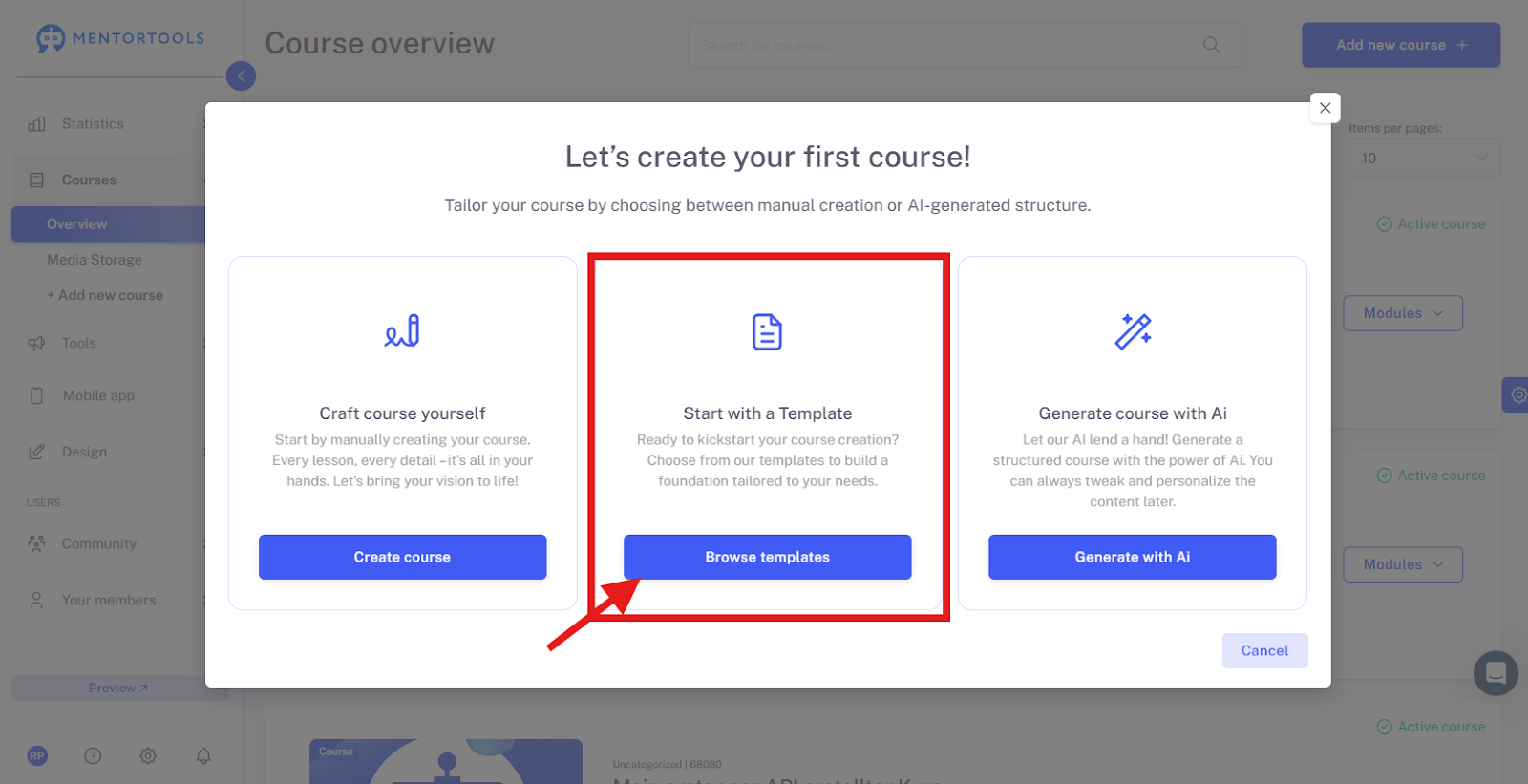
Click on "Browse Templates"
Select the menu item "Browse Templates" to access existing layouts.
Choose a Template
Look at the templates offered and select the one you want to use.
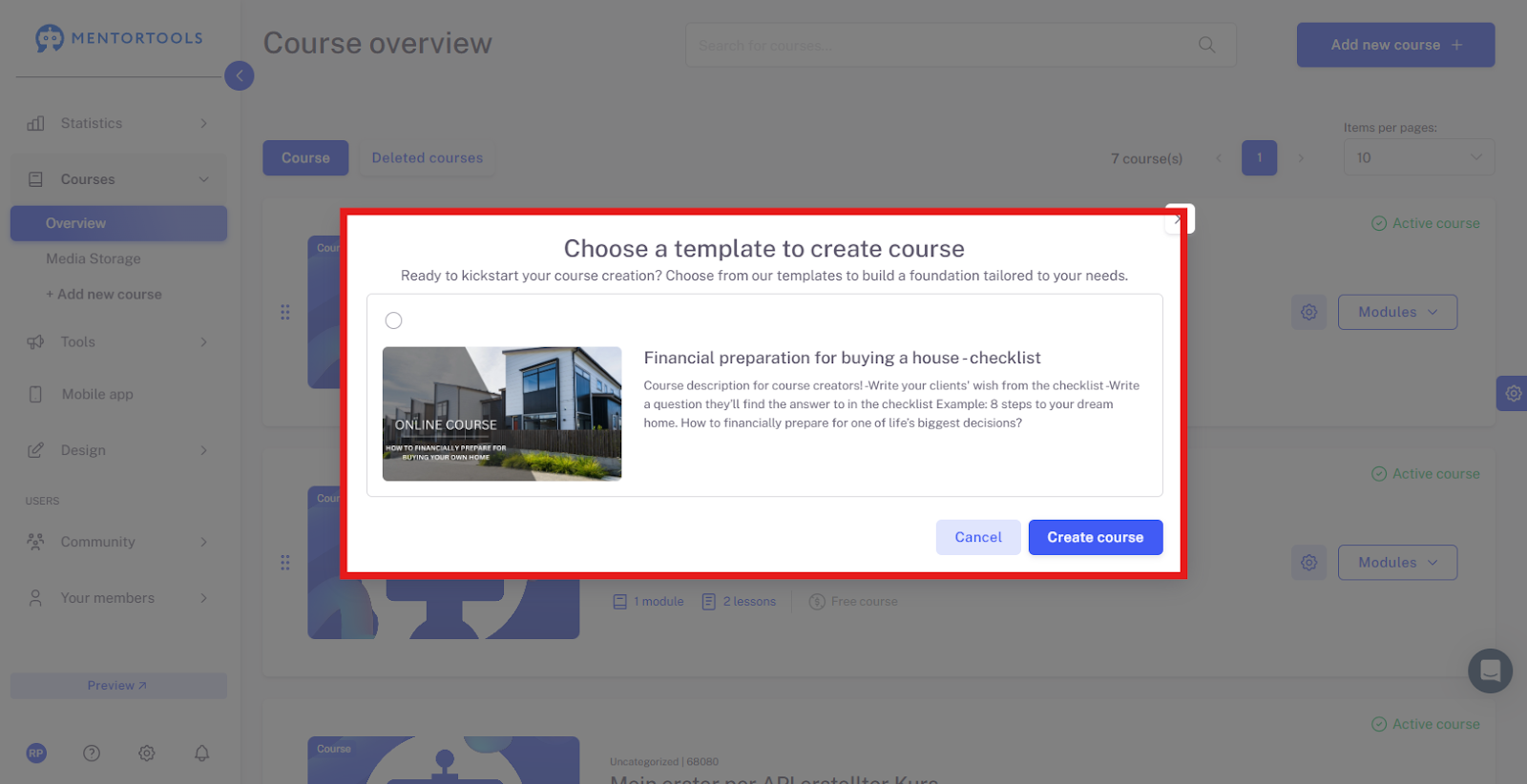
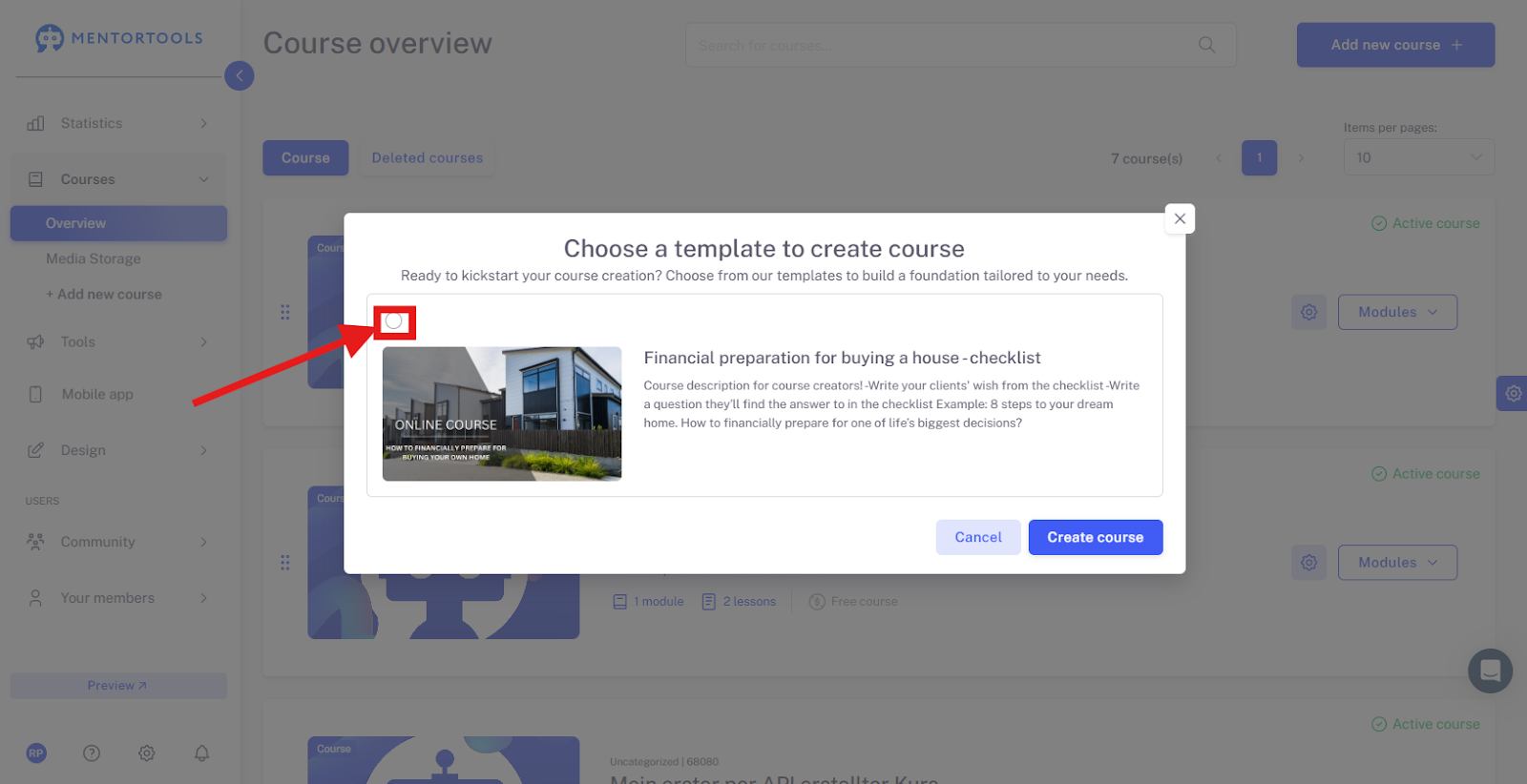
Select a Specific Template
Mark the template you want to use in the top left.
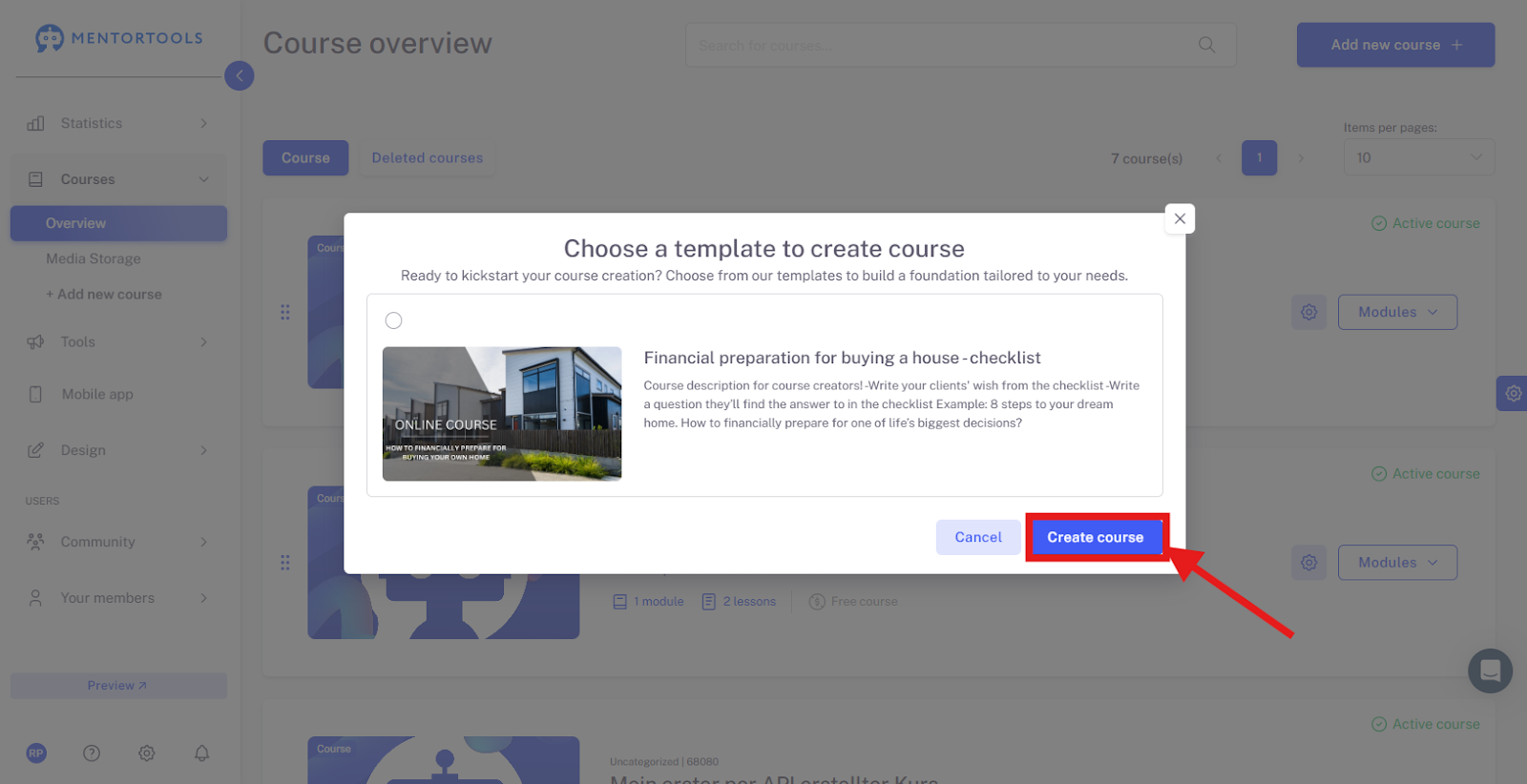
Click on "Create Course"
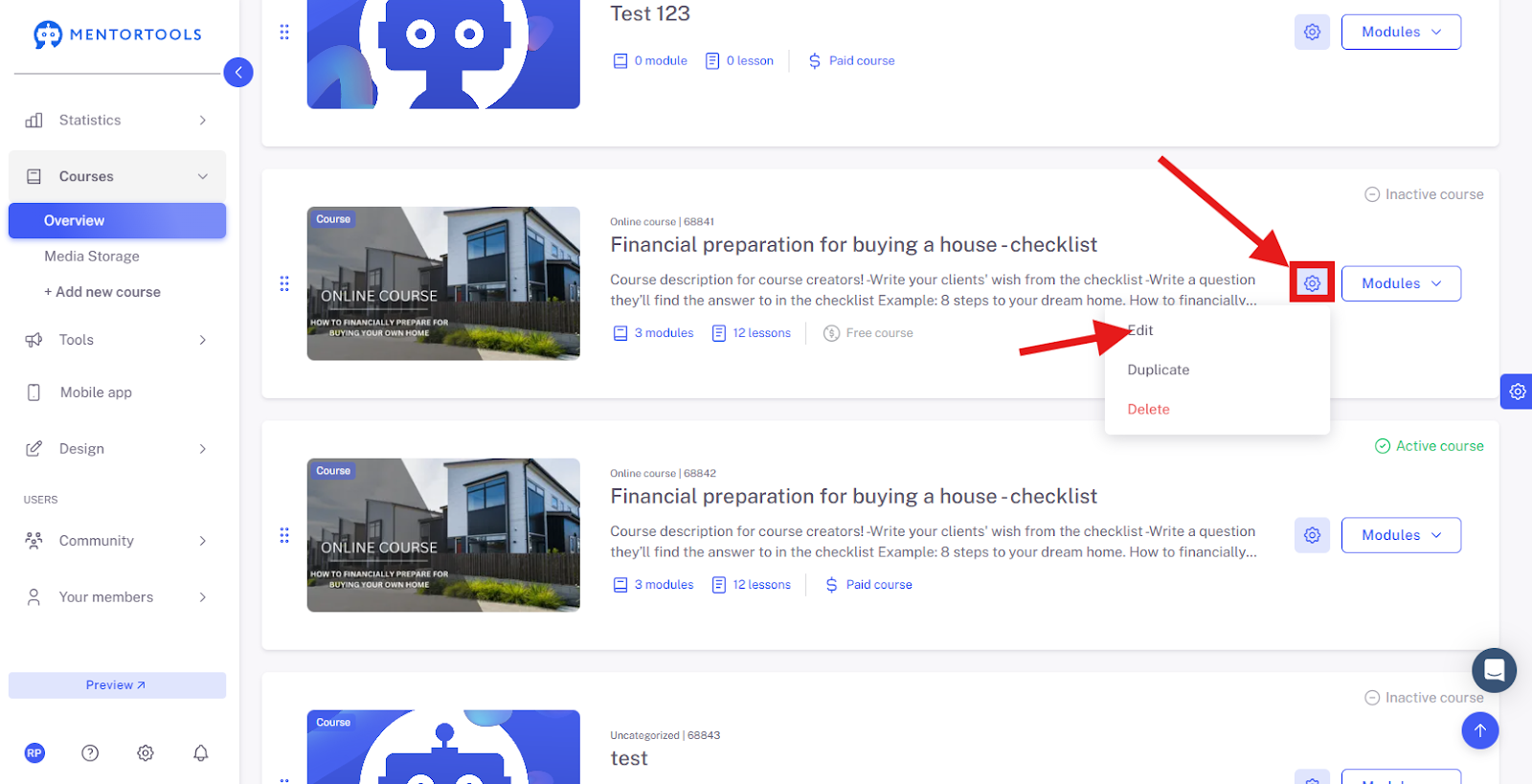
Create your new course based on the template by clicking on "Create Course". A new course will be created immediately and will appear at the end of your course list.
Adapt the Course Template to Your Needs
Now you can customize the template—that is, the course—according to your ideas. Open the course settings and edit the main information, access, and payment settings for this course.
In addition, you can also customize the entire content of the template, meaning you can edit the modules and lessons to tailor the course exactly to your requirements.
Conclusion
With Mentortools templates, you can set up courses very quickly without starting from scratch. This is particularly helpful for standardized content, recurring training, or corporate learning programs. After creating it, you can further individualize the course, adjust texts, or add modules at any time.