How Does the Make (Webhook) Integration Work?
Last updated 19 days ago
Mentortools gives you the option to connect email providers directly. If you work with Tags, for example, you can assign specific tags that you've integrated into your email tool to your member area. This allows your email program's funnel to know exactly when to trigger a specific sequence.
To establish a connection, follow these steps:
Click on “Settings” and then on “Integrations & Automations.”
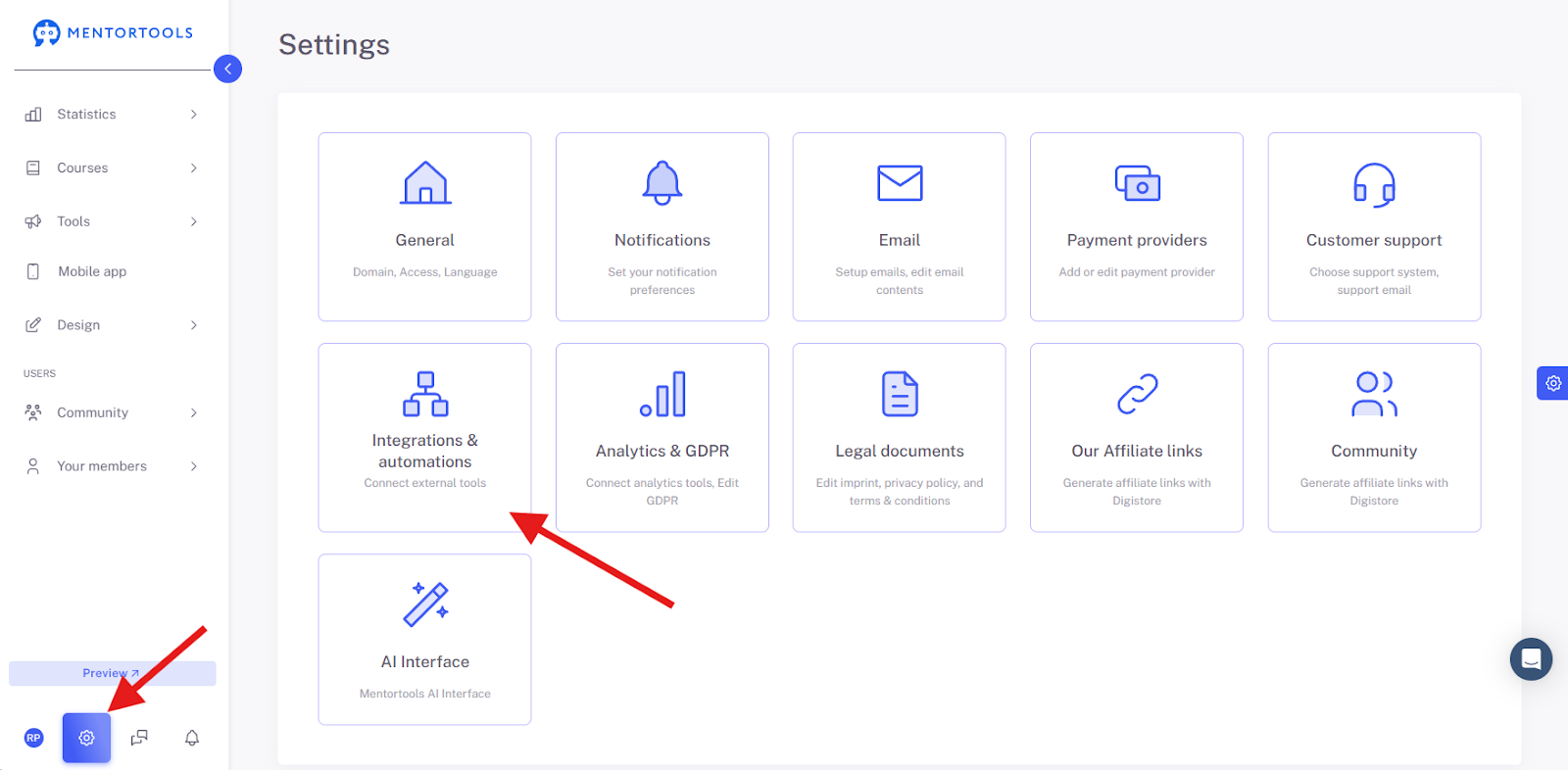
Integration Services
First, establish a connection to your email provider. Click on “Add service.”
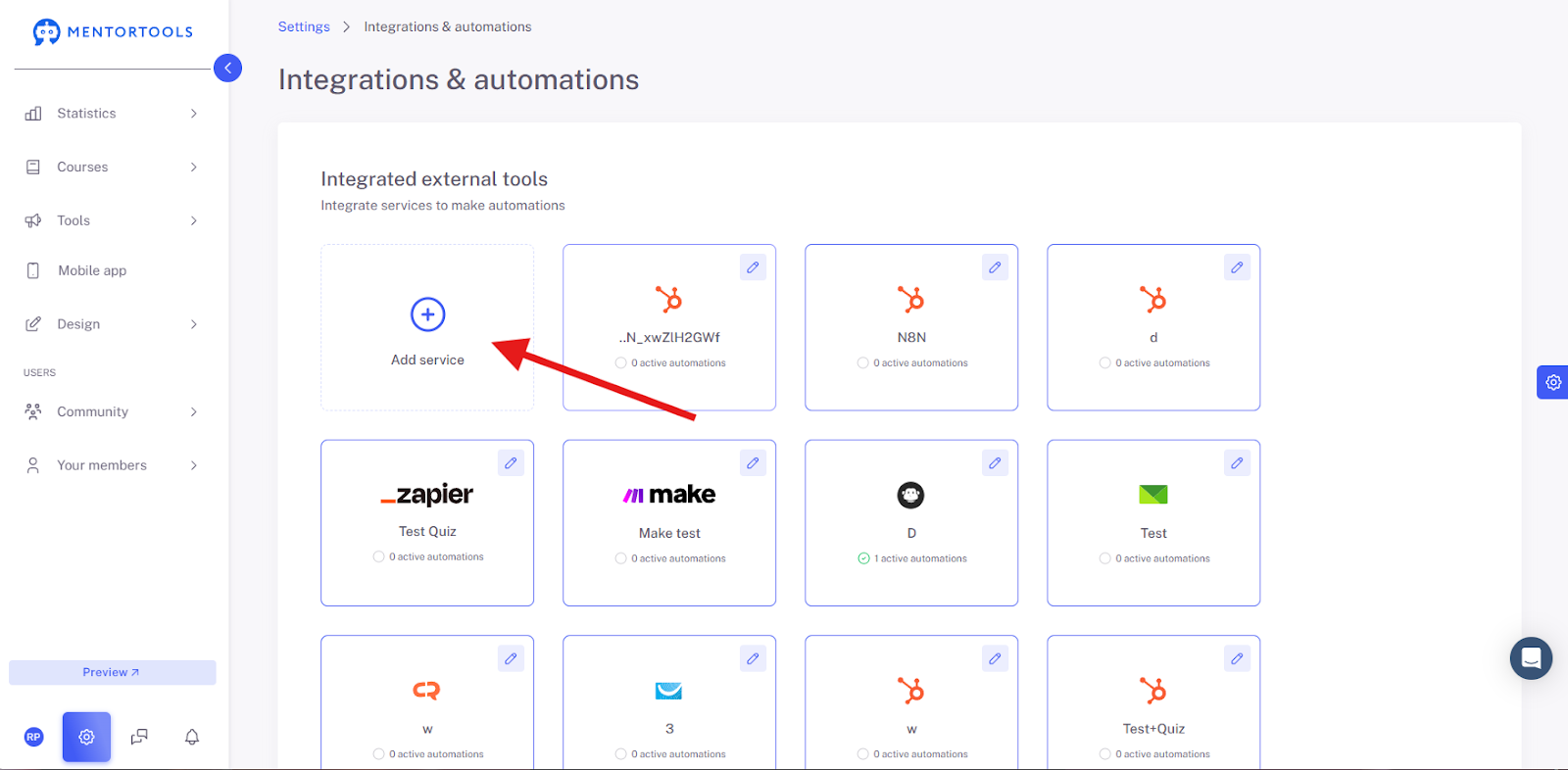
Now select “Make” and then click “Continue.”

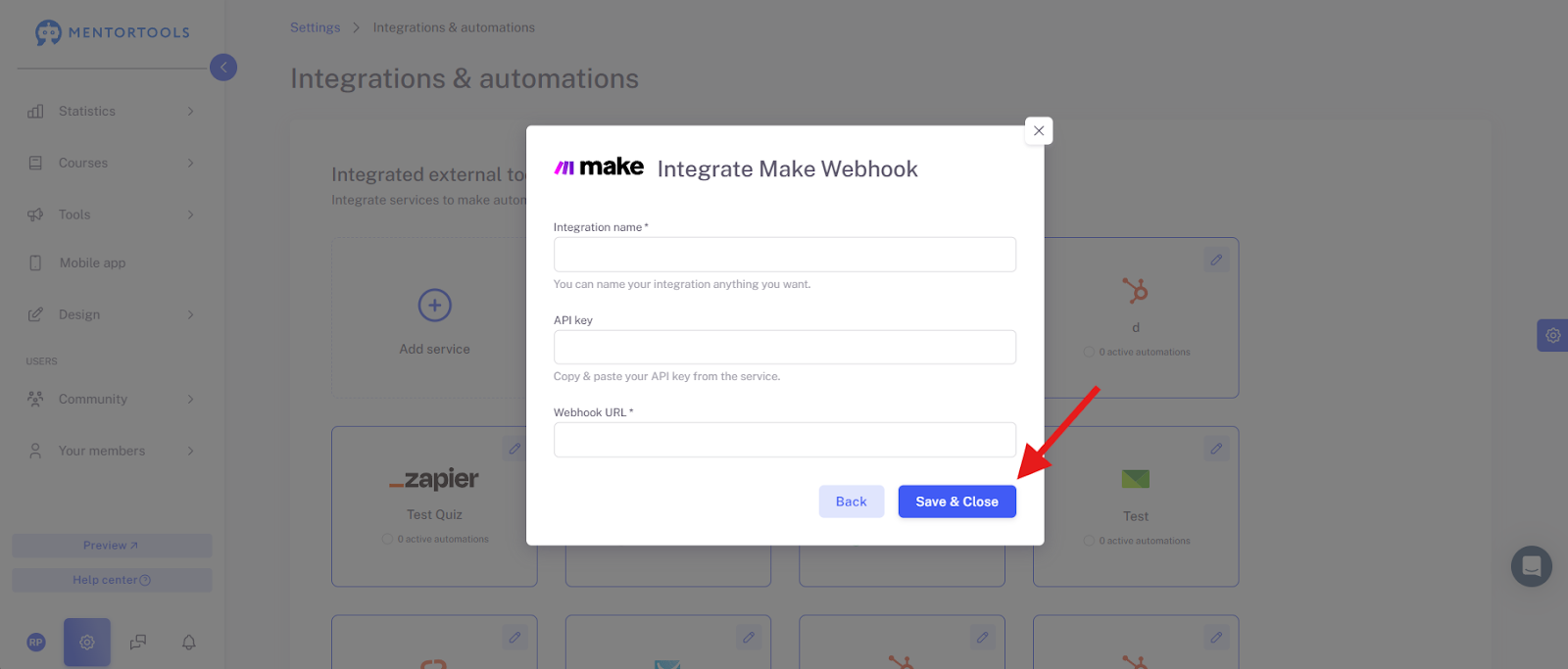
Now enter the Integration Name (freely chosen), the Webhook URL, and the API Key (the API Key is not strictly necessary here).
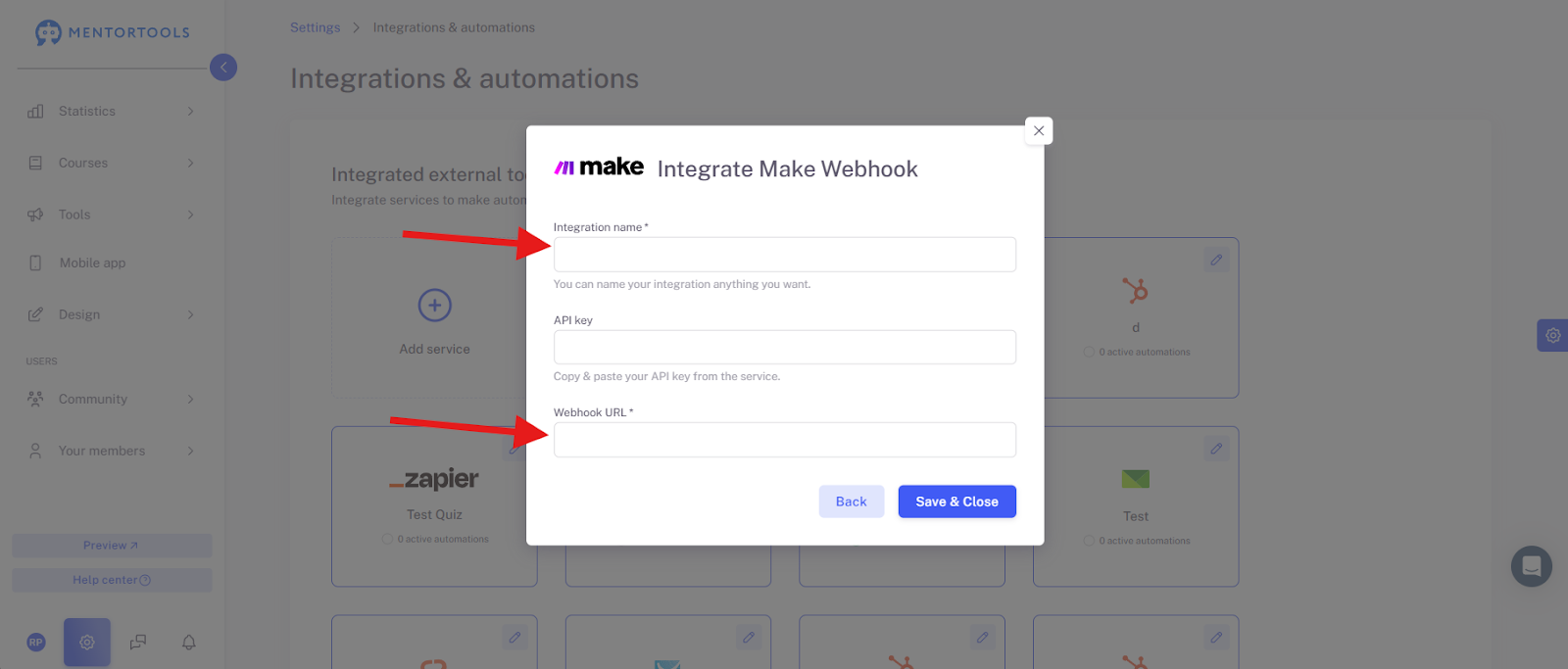
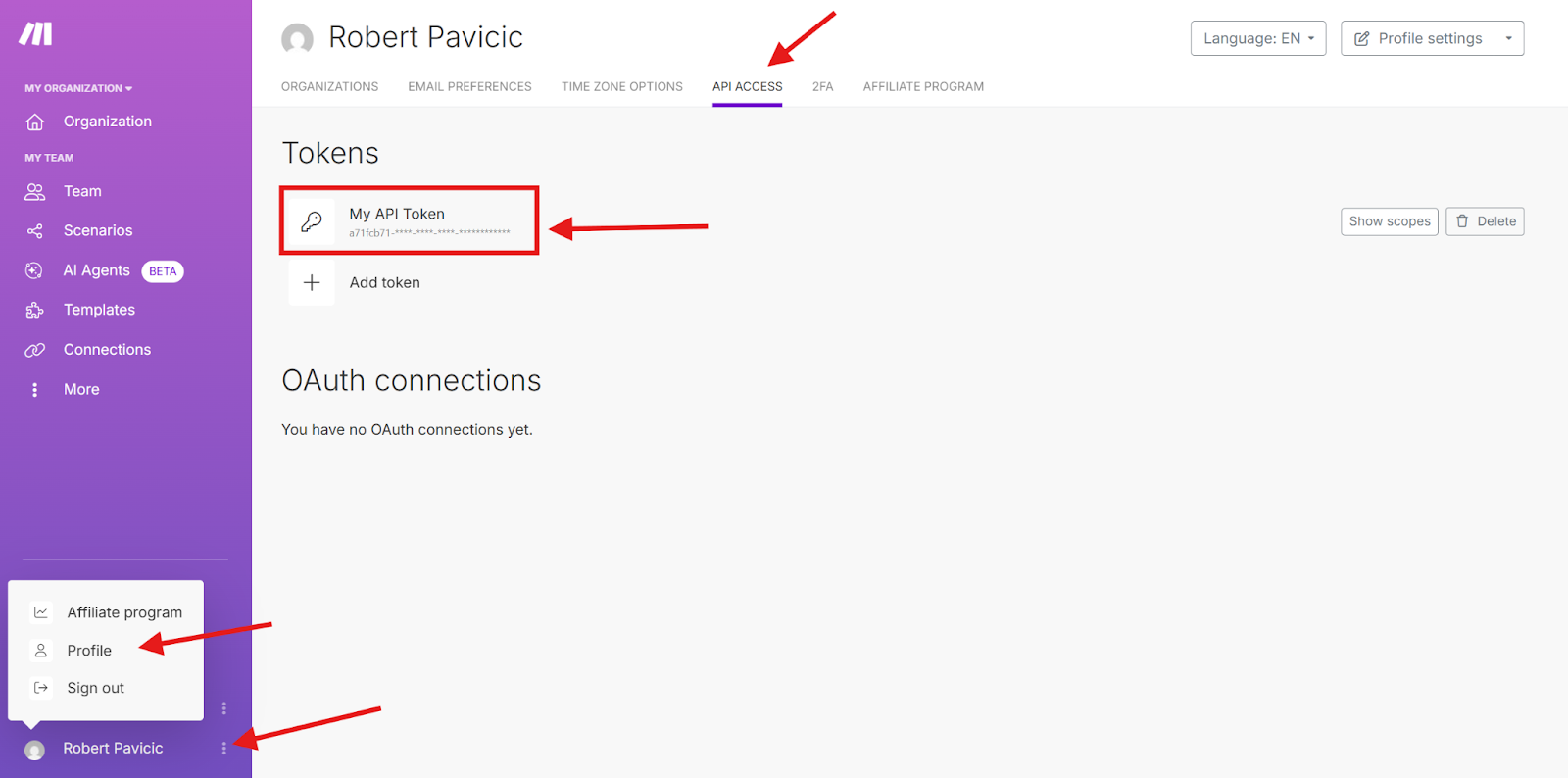
You can find the API Key for Make (not strictly necessary for the Make Webhook integration) in your Make account under “Profile” and “API-Access.”
How to Get the Webhook URL in Make?
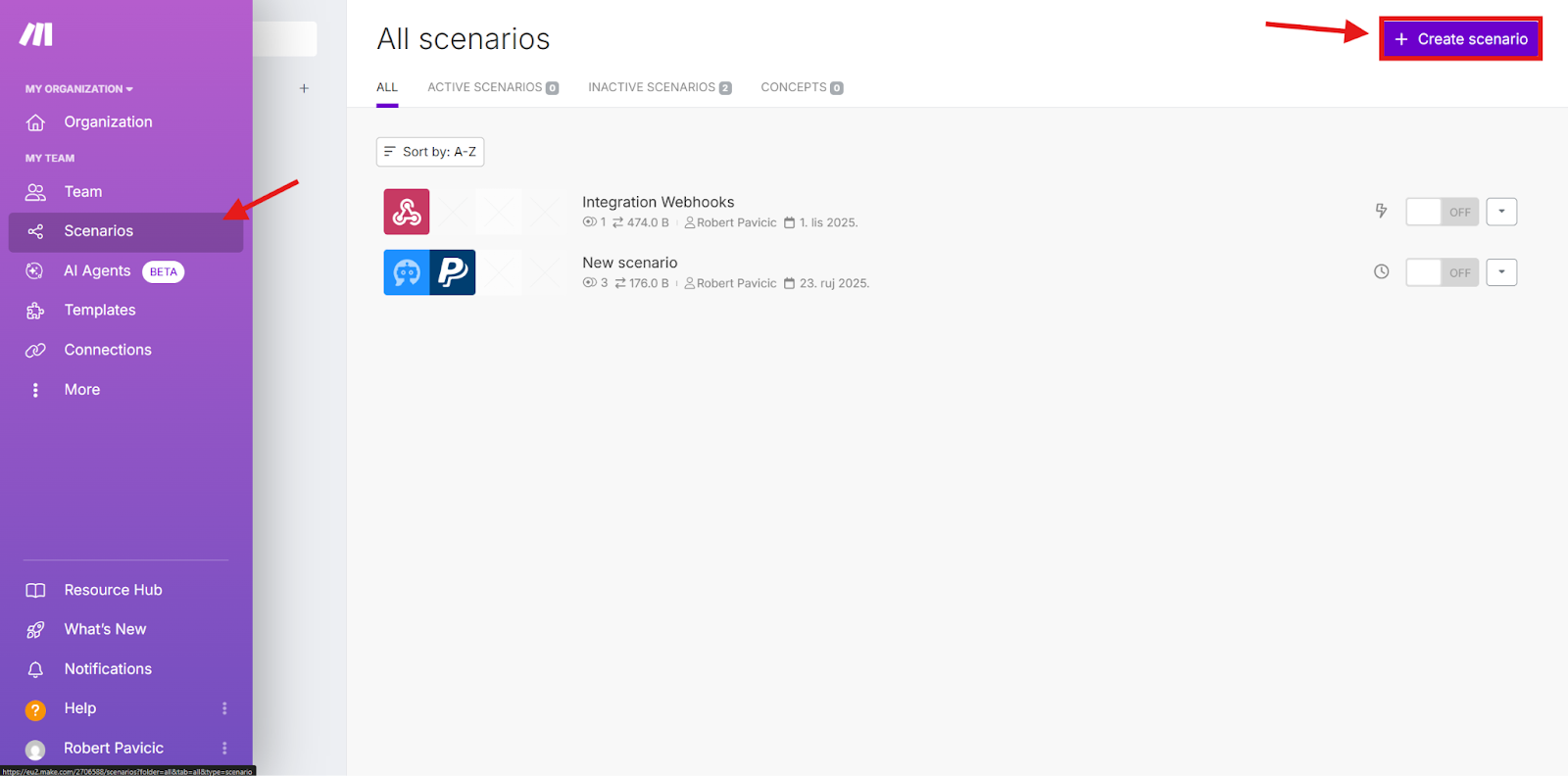
To get a Webhook URL, you need to create a new Scenario.
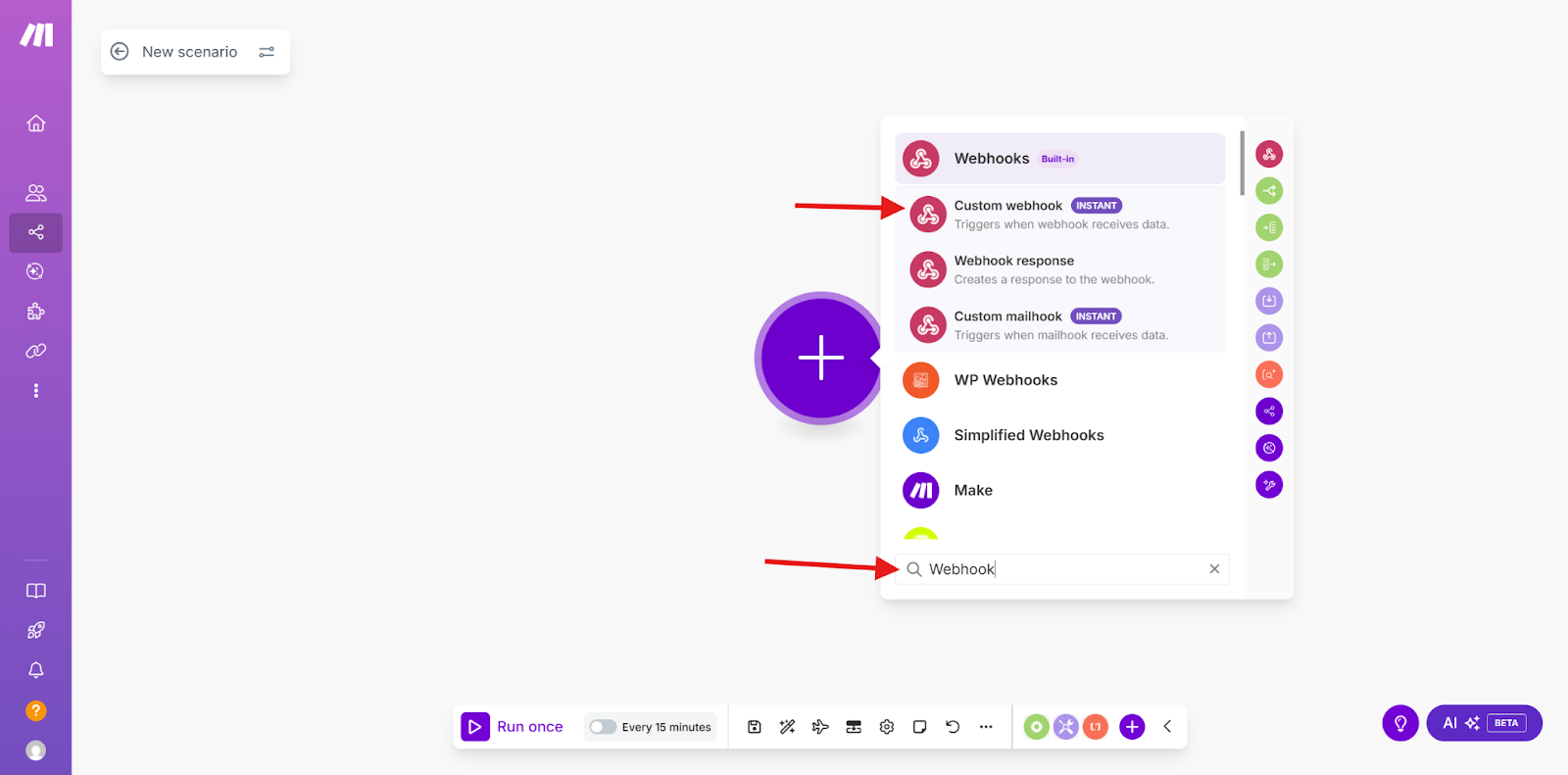
And, for example, choose “Custom Webhook” there.
Now give your Webhook a name and click on the button “save”. The Webhook URL will be generated:


Once you have entered the API data, click “Save & Close.”