Certificate Statistics
In this tutorial, you will learn how to see an overview of all your members' certificates and how to quickly and easily find the certificates of a specific member.
Last updated 12 months ago
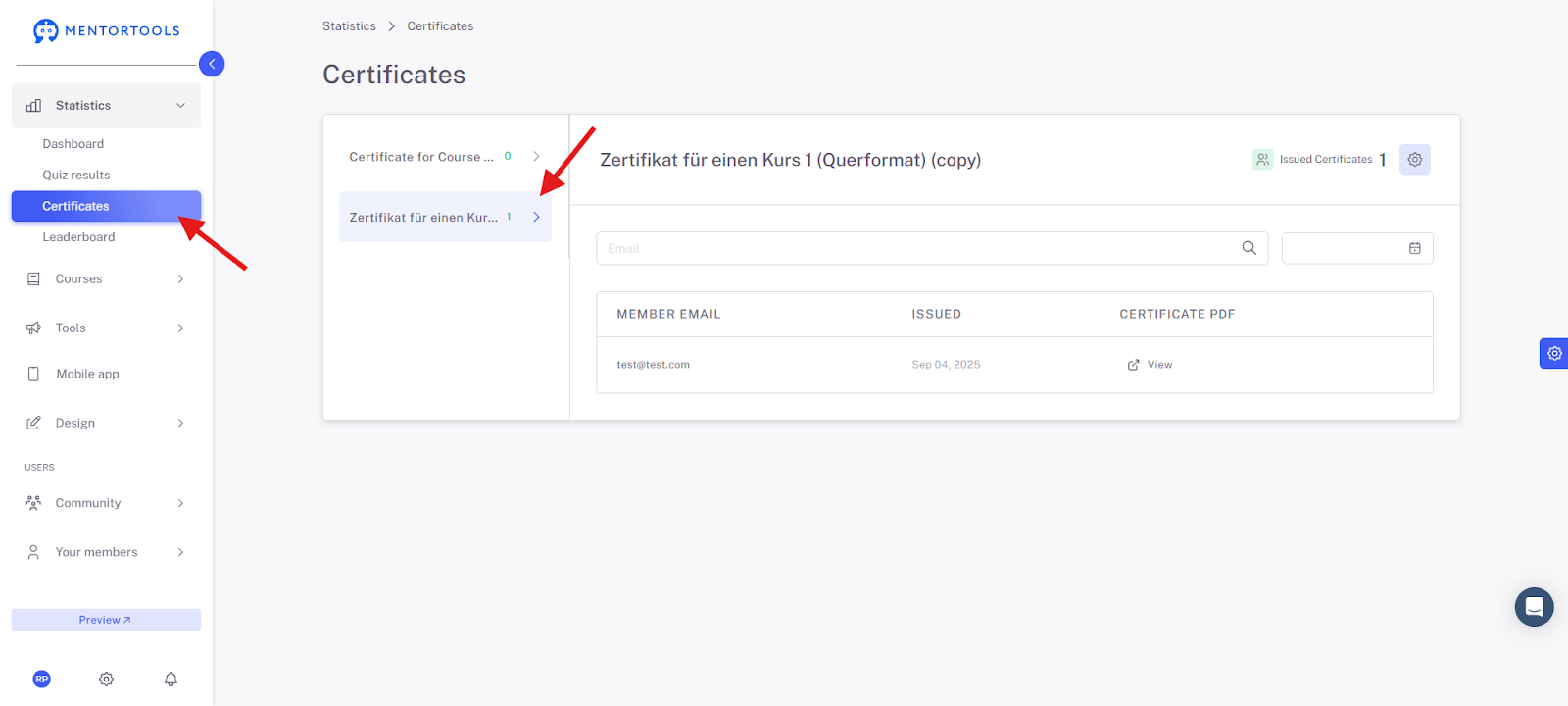
Under "Statistics" and "Certificates," you will find an overview of all certificates and see which members have received a certificate.
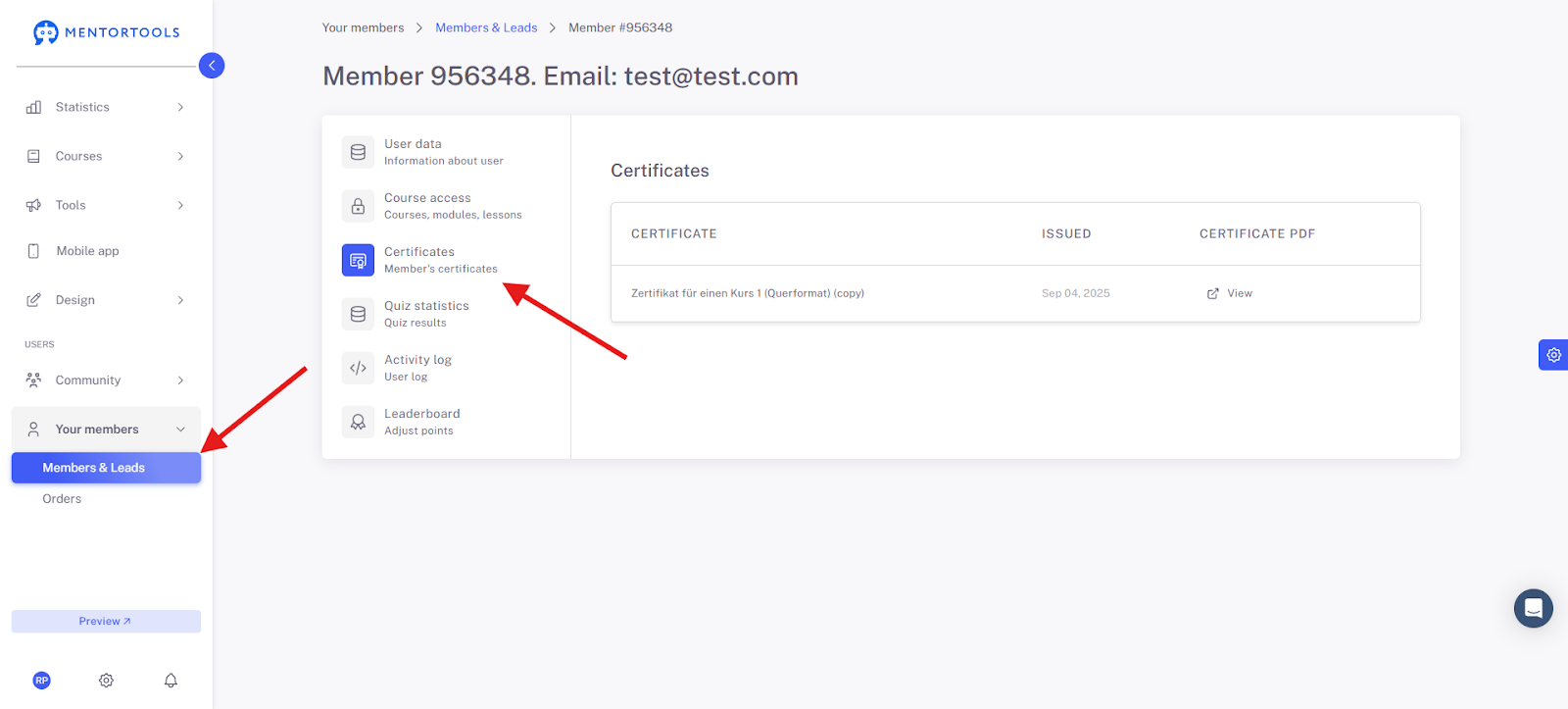
When you click on "Members and Leads" and then on a specific member, you will see which certificates that individual member has received and also the exact date the certificates were issued. Of course, you can also view what the certificate looks like.
This gives you a great overview of certificates and how you can see their results within the course.
Have fun and much success with certificates!