Community notifications
In this guide, you will learn how to set up member notifications in your community.
Last updated 12 months ago
This is how you set whether and for which events in the community automatic email notifications should be sent to your members.
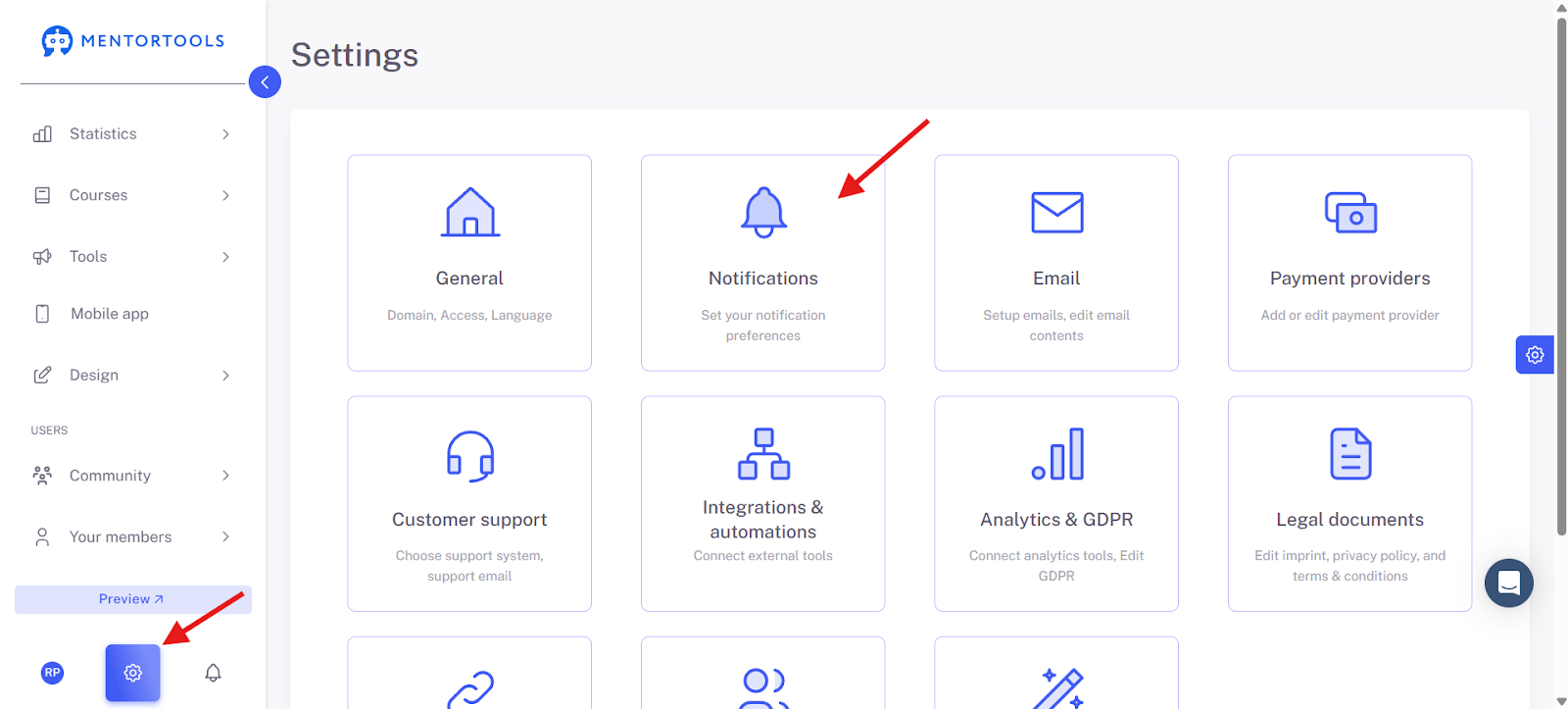
First, we will show you how you can set how you want to be informed about your members' activities so you don't miss anything. To do this, please go to Settings and then to Notifications.
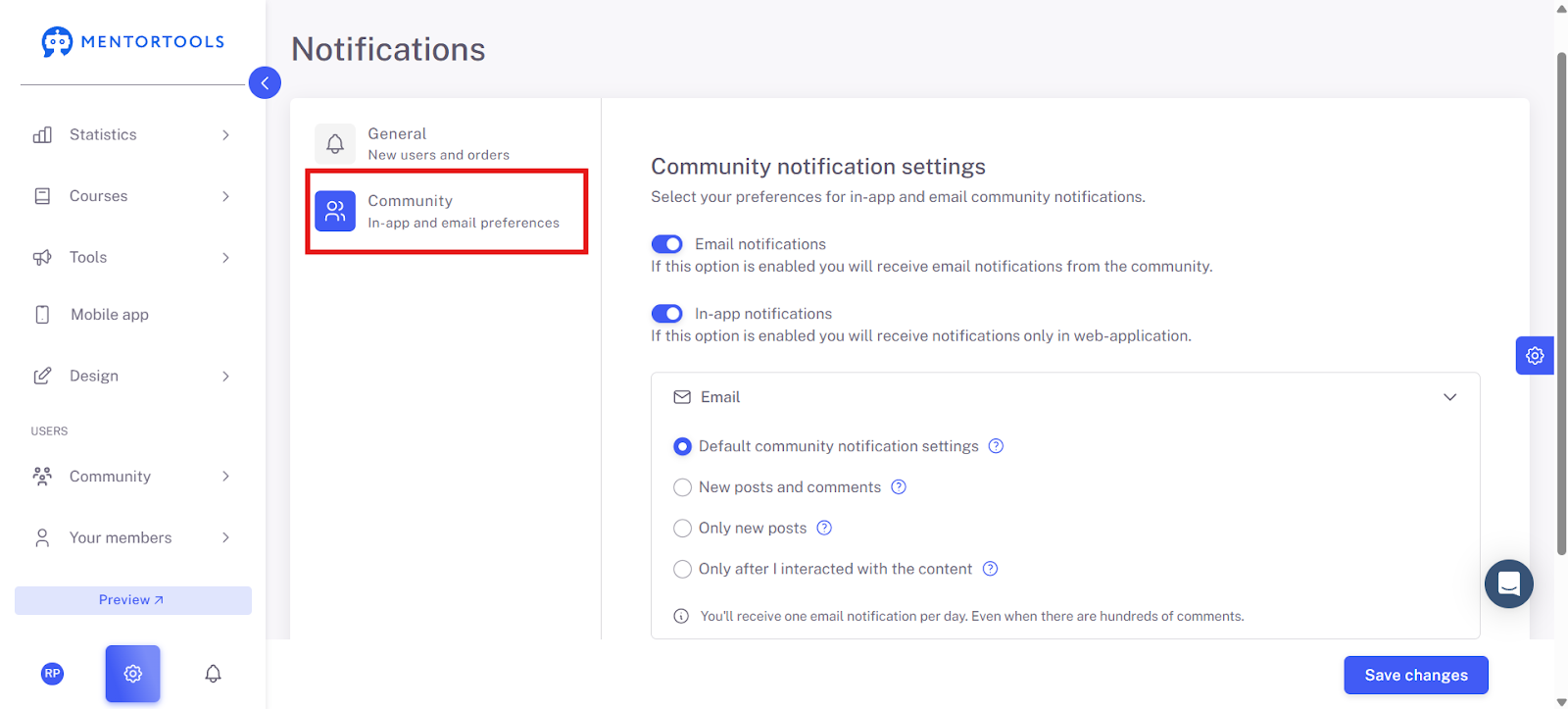
Under Community, you can now set how you, as the community operator, want to be notified about activities.
Now, set how your community members should be notified about activities in the community by default.
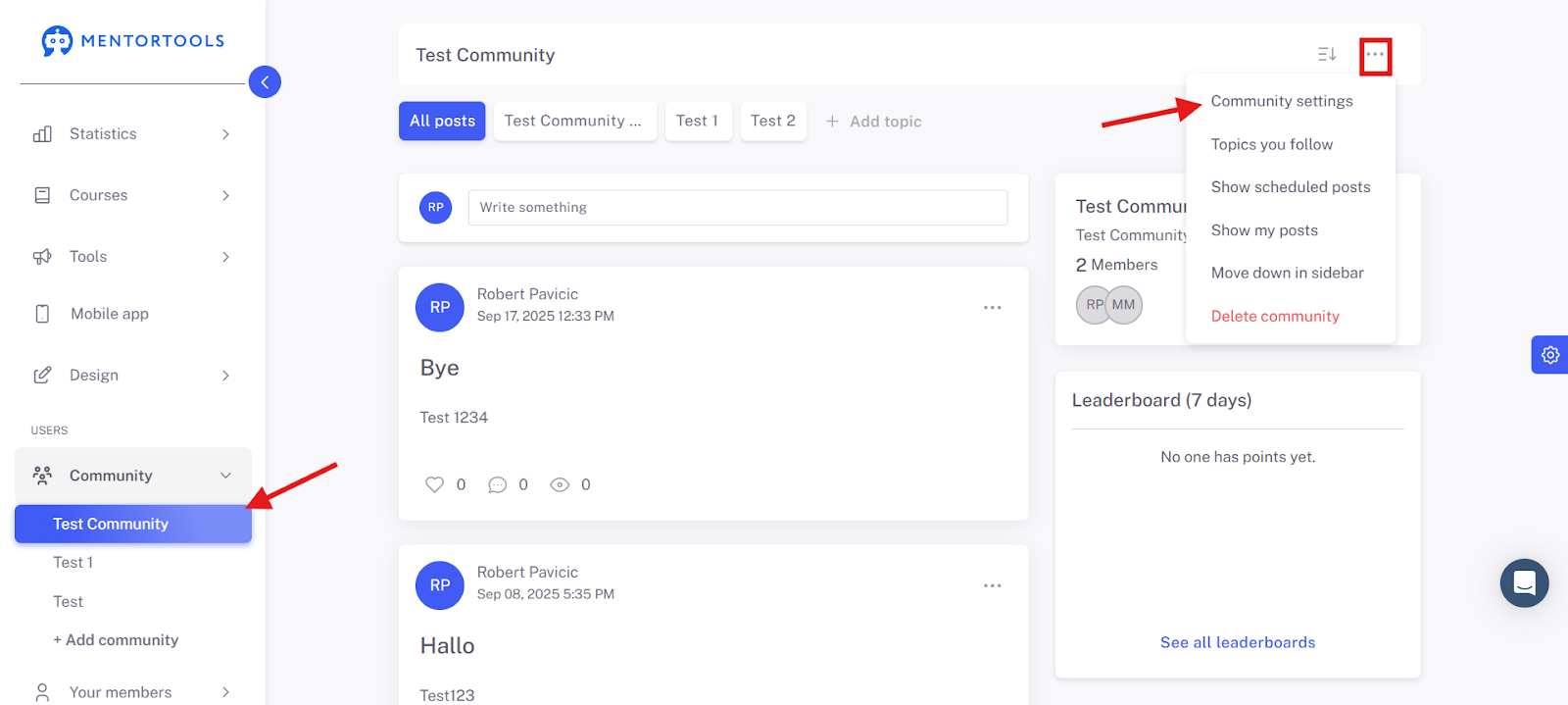
To do this, click on the community in the menu bar, click on the three dots, and then on Community Settings.
Under Notifications, activate the settings for how your members should be notified about activities in the community.
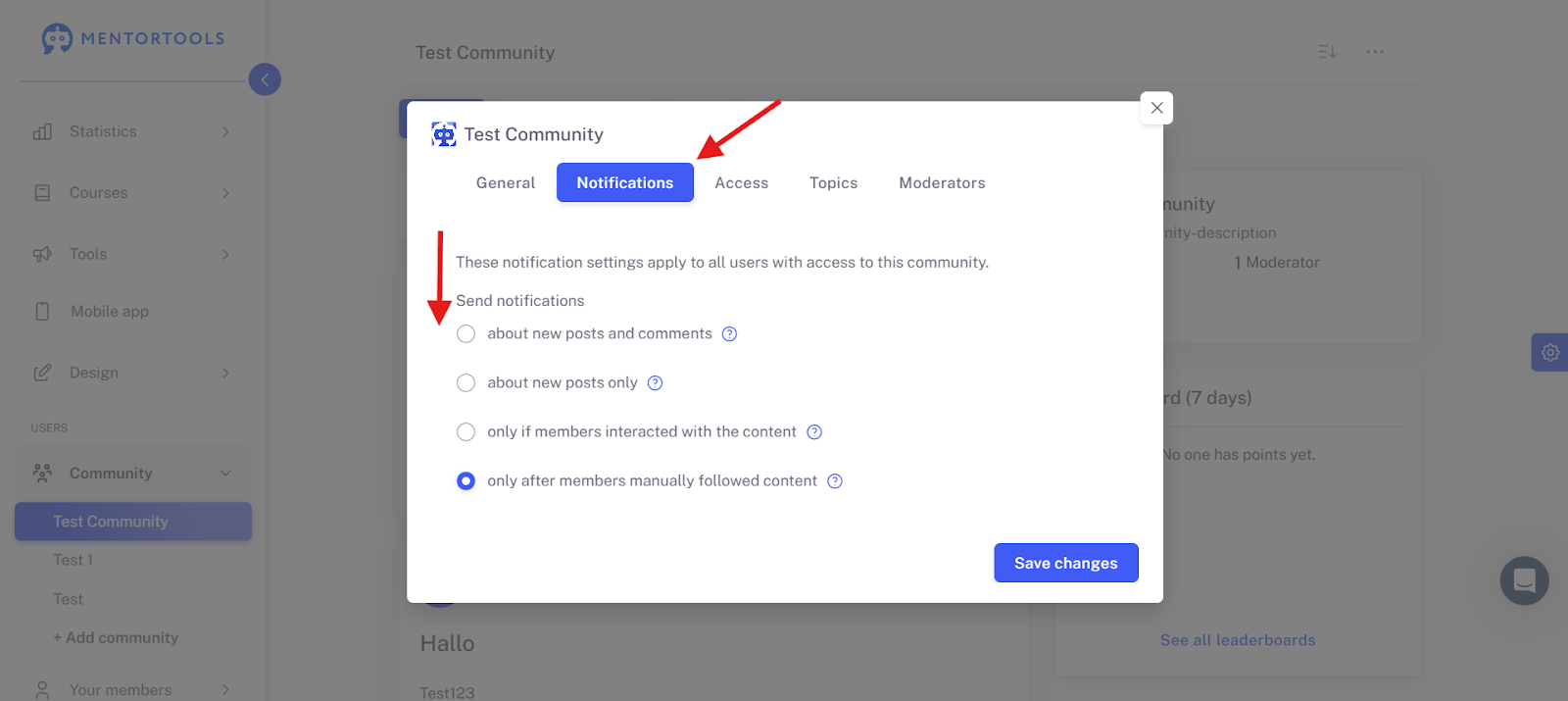
Set the notifications as it suits you best. You can choose between:
Notification for a new comment and post.
Notification only for a new post.
Notification only if a member has previously interacted with a post.
Notification only if a member manually follows the post.
You set this setting for each community (if you have multiple communities).
Finally, please click on Save Changes.