Welcome emails – Own SMTP server
In the email settings, you can define the address from which your emails are sent. By default, we send emails to your users from info@mentortools.com but with your name as the sender.
Last updated 11 months ago
For example, if someone buys a course from you and receives the access data by email, your first and last name will be displayed as the sender. Users will immediately know that the course is from you.
However, you can also set up Mentortools to send access data, passwords, etc., from your email address. This way, replies from your users will also go to you.
You can find these settings here in the email settings:
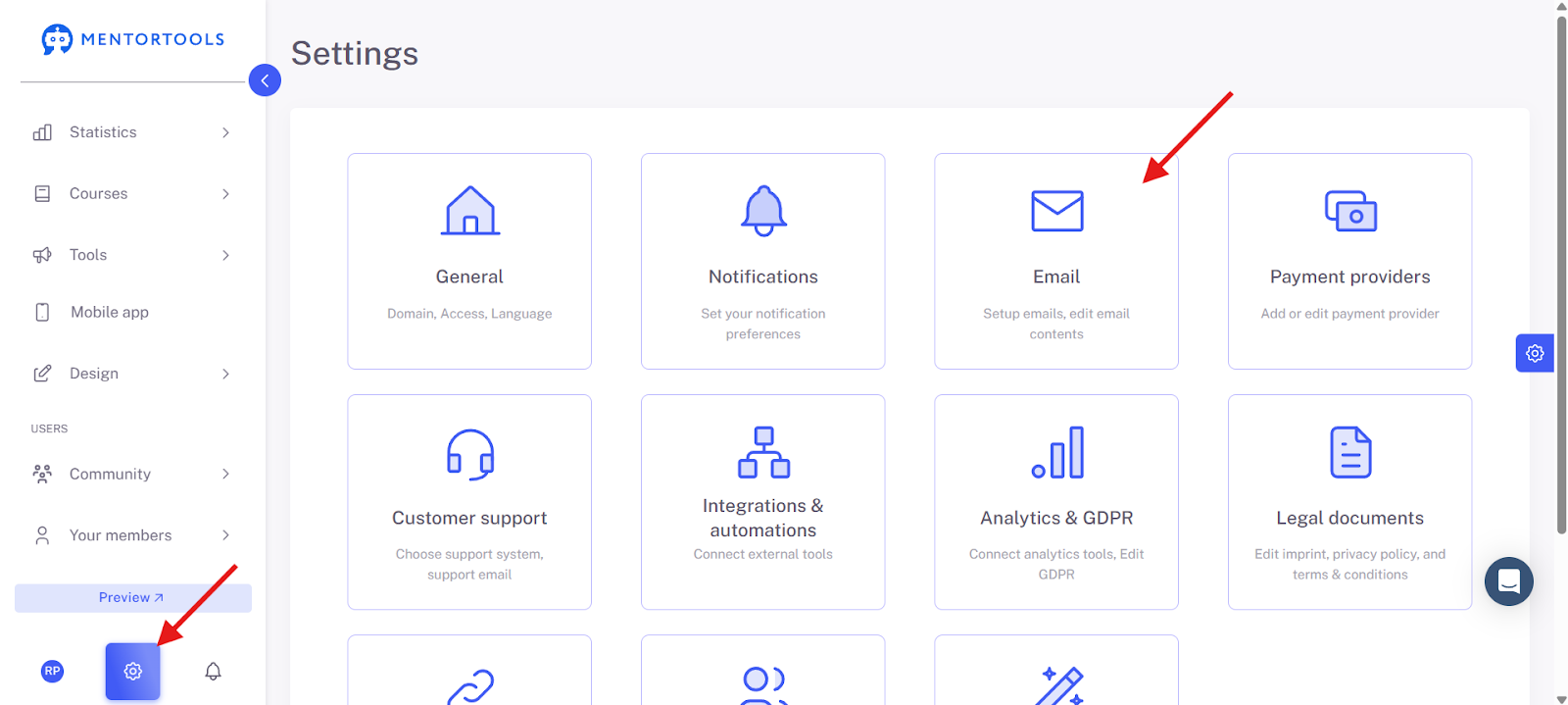
Email Sender
SMTP Server
Due to the latest security regulations of many email providers such as Gmail, GMX, etc., emails sent via SMTP are no longer received. Therefore, we do not recommend this method of sending emails.
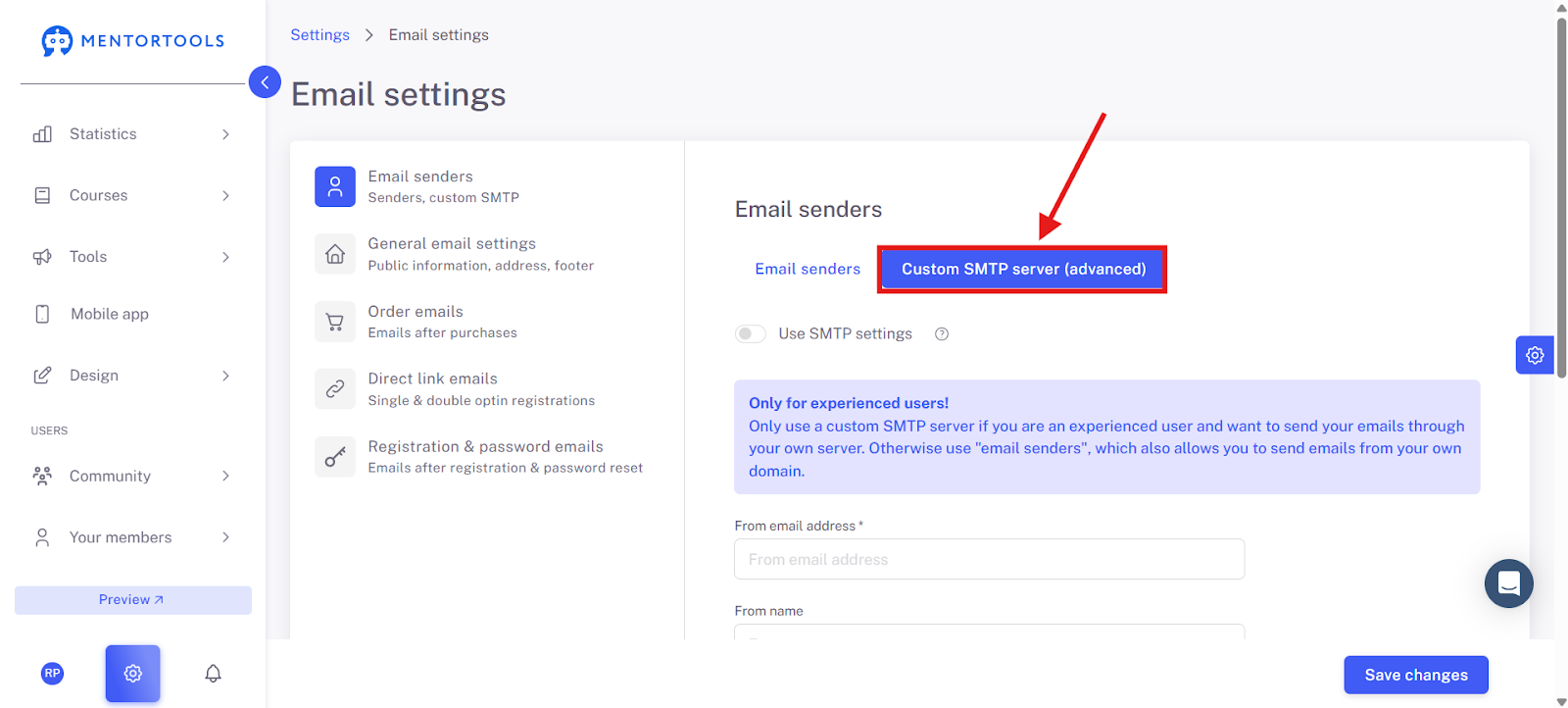
Email Sender via DNS
The complete guide for setting up your own email sender can be found here.